MacBook Pro Uganda: A Practical Guide to Using the M4 Model

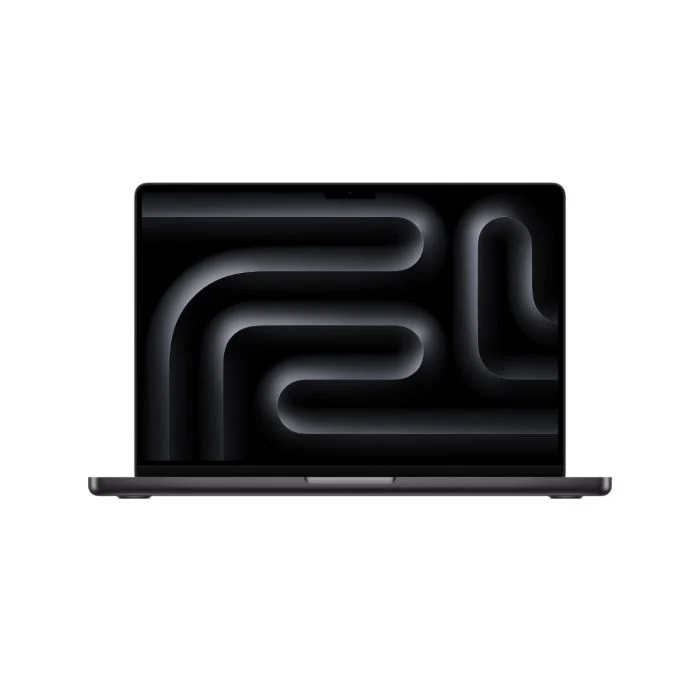
The Apple MacBook Pro M4 (256GB) arrives in Uganda with a sleek design and powerful M4 chip, making it a strong choice for creators and professionals. If you’re wondering how to start using your new MacBook Pro Uganda, this guide walks you through everything you need to know.
Key takeaways
- Initial macOS setup takes under 15 minutes.
- Touch ID and Magic Keyboard boost security and productivity.
- Optimise performance with built‑in macOS tools.
- Use the diverse ports for external displays and storage.
- Maintain up to 22 hours of battery life with simple habits.
Setting Up Your MacBook Pro Uganda
When you first power on the MacBook Pro M4, the Setup Assistant guides you through language selection, Wi‑Fi connection, and Apple ID sign‑in. Choose “Uganda” as your region to ensure local settings like currency and keyboard layout are applied automatically.
After signing in, macOS will offer to migrate data from another Mac, a Windows PC, or a Time Machine backup. If you’re moving from an older device, the migration tool saves you hours of manual file transfers.
Navigating macOS on the M4
The latest macOS runs smoothly on the 10‑core CPU and 10‑core GPU of the M4 chip. The Dock at the bottom of the screen provides quick access to frequently used apps, while Spotlight (Cmd + Space) lets you launch programs or search files instantly.
Touch ID, located on the power button, replaces passwords for unlocking the laptop, approving purchases, and signing documents. Pair it with the backlit Magic Keyboard for a seamless typing experience, even in low‑light environments.
Performance Tips for MacBook Pro Uganda
The M4 chip delivers impressive multitasking capabilities, but a few tweaks keep it running at peak speed. Open Activity Monitor to identify any apps consuming excessive CPU or memory and quit them if they’re not needed.
Enable Optimized Storage in System Settings → General → Storage. This feature automatically offloads rarely used files to iCloud, preserving the 256 GB SSD for active projects.
| Specification | Detail |
|---|---|
| Processor | Apple M4 chip, 10‑core CPU |
| GPU | 10‑core GPU |
| RAM | 8 GB (upgradeable to 16 GB or 24 GB) |
| Storage | 256 GB SSD |
| Display | 14‑inch Liquid Retina XDR, 3024 × 1964, ProMotion 120 Hz |
| Battery | Up to 22 hours, MagSafe fast charging |
Connecting Accessories and Ports
The MacBook Pro M4 offers three Thunder‑bolt USB‑C ports, an HDMI port, an SDXC card reader, and a 3.5 mm headphone jack. Use the HDMI port for a 4K external monitor, ideal for video editing or graphic design work.
For data transfer, the SDXC slot accepts most memory cards from cameras, while the Thunderbolt ports support high‑speed external SSDs. If you need legacy USB‑A devices, a simple Thunderbolt‑to‑USB adapter solves the issue without compromising performance.
Maintaining Battery Life and Security
To preserve the 22‑hour battery life, keep the laptop on a flat surface with good ventilation and avoid exposing it to extreme temperatures. macOS’s built‑in Battery Health Management learns your charging habits and reduces wear on the cells.
Regularly install macOS updates, which include security patches and performance improvements. Enable Find My in System Settings → Privacy & Security so you can locate a lost MacBook Pro Uganda or remotely lock it.
With these steps, your MacBook Pro M4 becomes a reliable tool for school projects, video editing, software development, or everyday computing in Uganda.
Apple MacBook Pro M4 (256GB)
UGX5,300,000
FAQ
How do I transfer data from an old Windows PC to my MacBook Pro Uganda?
Use the Migration Assistant app in macOS; connect both computers to the same Wi‑Fi network or use a USB‑C cable and follow the on‑screen prompts.
Can I upgrade the RAM on the MacBook Pro M4 after purchase?
The RAM is soldered, so upgrades must be selected at the time of purchase. Choose 16 GB or 24 GB if you anticipate heavier workloads.
What accessories are essential for a MacBook Pro Uganda user?
A USB‑C hub, an external SSD, and a reliable case protect the device and expand connectivity for daily tasks.
How long does the MagSafe charger take to reach 80 %?
With the fast‑charging MagSafe adapter, the MacBook Pro M4 typically reaches 80 % in about 30 minutes.
Is the MacBook Pro M4 suitable for gaming?
While not a gaming laptop, the 10‑core GPU handles many modern games at moderate settings, making it suitable for casual play.
Sources
- MacRumors: Best MacBook Pro, MacBook Air, and MacBook Neo Deals for November 2026
- CNET: Grab the M5 iPad Pro, Apple’s Best Tablet, for Less With These Deals
- 9to5Toys: Best early Black Friday Apple deals: HomeView, MacBook Air $250 off, Apple Watch Ultra $250 off, AirPods, more
- 9to5Mac: Early Black Friday Apple deals: MacBook Air $250 off, HomeView, Apple Watch Ultra $250 off, AirPods, more
- MacRumors: iPad Mini vs. iPad Air Buyer's Guide: Now Just $50 Apart