AirTag 2 in Uganda: 7 Best Upgrades & How to Track Keys, Bags and Cars
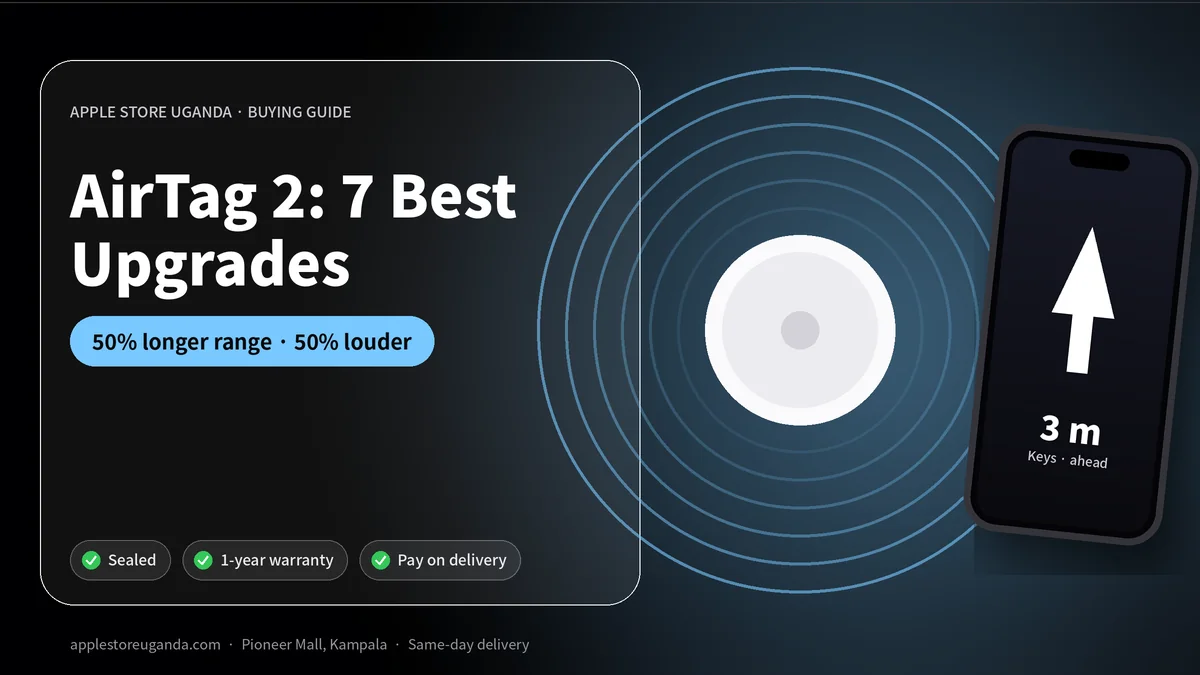
The AirTag 2 is Apple’s second-generation tracking tag, announced in January 2026, four years after the original. It adds a new Ultra Wideband chip that extends Precision Finding range by up to 50 percent and a speaker that is up to 50 percent louder. This guide explains what the AirTag 2 can do for iPhone users in Uganda, from keys and bags to luggage and cars.
An AirTag is a small, round tracker you attach to your belongings. It uses Apple’s Find My network, made up of hundreds of millions of Apple devices around the world, to show you where your item is on a map. If something goes missing, you can see its location, play a sound or follow on-screen directions to find it.
Want today’s price and stock?
AirTag 2 at a glance
| Feature | AirTag 2 |
|---|---|
| Announced | January 2026 |
| Ultra Wideband | New chip with up to 50% longer Precision Finding range |
| Speaker | Up to 50% louder |
| Network | Apple Find My |
| Works with | iPhone and iPad with Find My |
| Battery | User-replaceable coin cell (as on the original) |
7 best AirTag 2 upgrades and features
1. Longer Precision Finding range
Precision Finding uses Ultra Wideband to show an arrow and distance on your iPhone, guiding you straight to your item. The new chip extends this range by up to 50 percent, so you can start following the arrow from further away, which helps in large homes, offices, car parks and airports.
2. A louder speaker
The speaker is up to 50 percent louder. That makes it easier to hear your keys under sofa cushions, in a busy office or inside a handbag in a noisy market.
3. The Find My network
When your item is out of Bluetooth range, nearby Apple devices that pass by can anonymously report its location to you. In Kampala, Entebbe and other busy towns with many iPhone users, this network makes AirTags very effective.
4. Lost Mode
If you lose something, mark the AirTag as lost in the Find My app. You will be notified when it is detected, and anyone who finds it can tap it with their phone to see your message and contact details.
5. Anti-stalking protection
AirTags include features that alert people if an unknown AirTag is travelling with them, protecting against misuse. Android users can also scan for unknown trackers.
6. Easy setup
Hold the AirTag near your iPhone and it connects in one tap, just like AirPods.
7. Replaceable battery
The AirTag uses a standard coin battery that you replace yourself, which is cheap and easy.
What to track with an AirTag in Uganda
- Keys for your house, car and office.
- Handbags, laptop bags and school bags.
- Luggage on flights from Entebbe and on long bus trips upcountry.
- Cars and motorcycles, hidden discreetly inside.
- Wallets and passport holders with a slim holder.
- Camera bags and equipment for photographers and videographers.
- Children’s school bags, so parents know the bag reached school.
AirTag for travellers
Many travellers put an AirTag inside checked luggage when flying from Entebbe. If an airline delays or misplaces a bag, the AirTag shows where it is, which helps when talking to the airline. It is also useful on long-distance buses where luggage is stored underneath.
Price in Uganda
The Apple AirTag is available at Apple Store Uganda for UGX 400,000. Message us on WhatsApp to confirm the current generation in stock and whether we have AirTag 2 available today.
How to set up an AirTag
- Update your iPhone to the latest iOS.
- Remove the plastic tab from the AirTag to activate the battery.
- Hold it near your unlocked iPhone and tap Connect.
- Name it, for example “Keys” or “Laptop bag”.
- Attach it to your item with a holder or keyring.
That is it. Your AirTag now appears in the Find My app.
How to find a lost item
- Open the Find My app and tap Items.
- Choose your AirTag to see its last location on the map.
- Tap Play Sound when you are nearby.
- Use Find for Precision Finding on supported iPhones.
- If it is far away, turn on Lost Mode.
Which iPhones support Precision Finding?
Precision Finding requires an iPhone with an Ultra Wideband chip, which includes many recent models such as the iPhone 15, 16, 17 and 18 Pro families. Older iPhones can still locate AirTags on the map and play sounds. See our iPhone 17 and iPhone 16 guides if you are thinking of upgrading.
Does AirTag work with Android?
AirTags are designed for iPhone and iPad. Android phones cannot set up or track AirTags, but they can detect unknown AirTags for safety. If you use an Android phone, an AirTag is not the right tracker for you.
AirTag vs GPS trackers
AirTags do not have their own GPS or SIM card. They rely on nearby Apple devices to report location. In busy areas, this works very well. In remote areas with few iPhones, updates may be less frequent. Dedicated GPS trackers with SIM cards give live tracking anywhere with mobile coverage but need a subscription and charging. For everyday items, an AirTag is simpler and cheaper to run.
Using AirTags responsibly
AirTags are designed to find your own belongings, not to track people. Apple includes alerts that warn people if an unknown AirTag moves with them. Always use trackers legally and respectfully.
Battery replacement
When the battery runs low, your iPhone tells you. Twist the back cover, replace the coin cell with a new one, and close it. Buy good-quality batteries, because some with bitter coatings for child safety may not make good contact.
Accessories
Attach your AirTag with a keyring, a loop or an adhesive holder. Slim card-style holders fit inside wallets. For bags, a clip holder is easy to attach and remove. For cars, hide the AirTag inside a holder under a seat or in the boot.
Gift idea
An AirTag is a thoughtful, affordable gift for students going to boarding school or university, frequent travellers and anyone who often misplaces their keys. Pair it with AirPods or a new iPhone for a complete Apple gift.
AirTag 2 vs the original AirTag
| AirTag (2021) | AirTag 2 (2026) | |
|---|---|---|
| Precision Finding range | Standard | Up to 50% longer |
| Speaker | Standard | Up to 50% louder |
| Find My network | Yes | Yes |
| Replaceable battery | Yes | Yes |
The AirTag 2 keeps the familiar round design, so most existing holders and keyrings should still fit. The main improvements are inside: a newer Ultra Wideband chip and a louder speaker. If you already own original AirTags, they still work perfectly. If you are buying for the first time, the AirTag 2 is the better choice.
Why the louder speaker matters in Uganda
Homes and offices in Kampala can be noisy, with generators, traffic, music and conversation in the background. A louder AirTag 2 is easier to hear when it is buried in a bag, under a car seat or inside a drawer. For older family members with weaker hearing, the louder sound is especially helpful.
Why the longer range matters
Precision Finding works best when you are already fairly close. With up to 50 percent more range on the AirTag 2, the arrow and distance guidance start working from further away. That saves time when searching a large house, a busy office floor, a church compound or a parking lot outside a shopping mall.
AirTag 2 for families
Parents can attach an AirTag 2 to a child’s school bag to confirm the bag reached school or the boarding school. Families travelling together can put an AirTag 2 in each suitcase. Elderly relatives who often misplace keys can keep one on their keyring, and you can help them find it through Family Sharing.
AirTag 2 for businesses
Businesses use AirTag 2 tags to keep track of equipment: cameras, laptops in bags, toolboxes, delivery bags and spare keys for company vehicles. Event companies attach them to cases of sound equipment so nothing is left behind at a venue. It is a low-cost way to reduce losses.
AirTag 2 in vehicles
Many car and motorcycle owners hide an AirTag 2 inside their vehicle. It is not a replacement for a professional vehicle tracker or alarm, but it can help show where a vehicle was last detected. Hide it where it is not easy to find, and remember that the anti-stalking alerts may notify an unknown iPhone user travelling with it.
Sharing an AirTag 2 with family
Apple allows you to share an item’s location with other people, so your partner or children can see where the family car keys or shared bags are. This makes the AirTag 2 even more useful for households with shared items.
Privacy and safety
Apple designed the Find My network with end-to-end encryption. The people whose devices help locate your AirTag 2 cannot see where it is or who owns it, and Apple says it does not know the location either. Rotating Bluetooth identifiers make it difficult to track an AirTag 2 without the owner’s permission.
Troubleshooting
- AirTag 2 not showing location: make sure Find My and Bluetooth are turned on and your iPhone is updated.
- No sound: check the battery and try playing the sound again from closer.
- Precision Finding not available: check that your iPhone supports Ultra Wideband and that Precise Location is turned on for Find My.
- Unknown AirTag alert: follow the on-screen instructions to play a sound and learn about the item.
Is AirTag 2 worth buying?
For iPhone users, yes. An AirTag 2 is one of the most useful and affordable Apple accessories. It saves time every week finding keys and bags, and gives peace of mind when travelling. If you already have the original model, upgrade only if you need the louder speaker or longer Precision Finding range.
How the Find My network works
When your AirTag 2 is near your iPhone, it connects directly over Bluetooth. When it is far away, it sends out a secure Bluetooth signal. Any nearby iPhone, iPad or Mac in the Find My network can detect that signal and send its location to Apple’s servers in encrypted form. Only you can see where your AirTag 2 is.
This happens in the background without the owners of those devices knowing, and without using noticeable battery or data. In busy places like Kampala’s city centre, shopping malls, Entebbe airport and university campuses, there are many Apple devices around, so locations update often.
Tips for the best results
- Keep your iPhone updated to get the latest Find My features.
- Turn on notifications for when you leave an item behind.
- Name each AirTag 2 clearly, for example “Car keys” or “Blue backpack”.
- Add contact details in Lost Mode so honest finders can reach you.
- Check the battery level in the Find My app every few months.
Separation alerts
Find My can notify you if you leave an item behind. For example, if you walk away from a café without your bag, your iPhone alerts you. You can set trusted locations, such as home and office, where you do not want alerts. This feature alone can prevent many losses.
Buying genuine AirTags
Fake tracking tags that look similar to AirTags are sold online and in some markets. They may not connect to Find My, may have weak batteries or may not have Apple’s privacy protections. Buy from a trusted seller, check that it pairs with the official Apple setup card on your iPhone and confirm the serial number in the Find My app.
Multi-pack value
If you want to track several items, buying more than one AirTag 2 at once can be good value. Many families start with one for keys and one for a bag, then add more for luggage and the car. Ask us on WhatsApp about prices for multiple units.
AirTag 2 with other Apple products
Your AirTag 2 appears in the Find My app on iPhone, iPad and Mac, and you can ask Siri to play a sound to find it. With Apple Watch, you can also locate items from your wrist. Combine the AirTag 2 with AirPods 5, which also appear in Find My, so all your Apple devices and belongings are in one place.
Our verdict
The AirTag 2 is a small but useful upgrade. The longer Precision Finding range and louder speaker solve the two most common complaints about the original. For iPhone users in Uganda who carry keys, bags, laptops and luggage every day, it is one of the best-value Apple accessories you can buy.
Five places people lose things most
- Inside the home, especially keys under cushions and remote controls.
- In taxis and boda bodas, where bags slip off seats.
- At airports, where luggage is delayed or sent on the wrong flight.
- In offices and lecture halls, where laptop bags are left behind.
- In car parks and malls, where people forget where they parked.
An AirTag 2 helps in every one of these situations, either by guiding you with Precision Finding or by showing the last known location on the map.
Official AirTag details are on Apple’s AirTag page, and the MacRumors AirTag guide tracks updates.
Frequently Asked Questions
What is new in AirTag 2?
A new Ultra Wideband chip with up to 50% longer Precision Finding range and a speaker that is up to 50% louder.
When was AirTag 2 released?
Apple announced it in January 2026.
How much is an AirTag in Uganda?
UGX 400,000 at Apple Store Uganda. Ask us which generation is in stock.
Does AirTag work in Uganda?
Yes. It uses the Find My network of nearby Apple devices, which works well in busy towns.
Can I use AirTag with Android?
No. You need an iPhone or iPad to set up and track AirTags.
Does AirTag have GPS?
No. It uses nearby Apple devices to report its location.
How long does the AirTag battery last?
Usually around a year, and you can replace it yourself.
Will my old AirTag holder fit the AirTag 2?
The design stays familiar, so most holders should fit, but check the holder's product details.
Can I share an AirTag 2 with my family?
Yes. You can share an item's location with other people through Find My.
Can the AirTag 2 track my car?
It can show where your car was last detected through the Find My network, but it is not a full GPS tracking system.
Is AirTag 2 waterproof?
AirTags are water-resistant for everyday splashes and rain, but avoid submerging them.
How many AirTags can I use with one iPhone?
You can register many AirTags to one Apple Account, enough for keys, bags, luggage and more.
Can I buy an AirTag at Apple Store Uganda?
Yes. The Apple AirTag costs UGX 400,000. Ask us on WhatsApp which generation is in stock.
Does the AirTag 2 need charging?
No. It uses a replaceable coin battery that typically lasts around a year.
Will the AirTag 2 alert me if I forget my bag?
Yes, if you turn on separation alerts in the Find My app.
Order with same-day delivery in Kampala & Entebbe, or pay 30% to reserve.