Apple Pencil 2nd Generation Review – Is It Worth Uganda’s Price?
If you’re looking for an apple pencil 2nd generation review, you’ve come to the right place. This article breaks down the stylus’s design, performance, and price in Uganda so you can decide whether it matches your workflow.
Key takeaways
- Pixel‑perfect precision with industry‑leading low latency.
- Magnetic attachment provides automatic pairing and charging.
- Only compatible with recent iPad Pro and iPad Air models.
- UGX550,000 on sale – higher than cheap knock‑offs but offers reliable Apple integration.
- Best for artists, students and professionals who need a seamless iPad experience.
Apple Pencil 2nd Generation Review: Key Highlights
In this review we examine everything from the matte‑finished body to the seamless iPadOS integration that makes the second‑generation Pencil feel like an extension of your hand. Whether you are a professional illustrator, a university student, or a business executive, the Pencil’s low latency, pressure sensitivity, and magnetic charging are the core reasons it stands out in the crowded stylus market.
Design and build quality
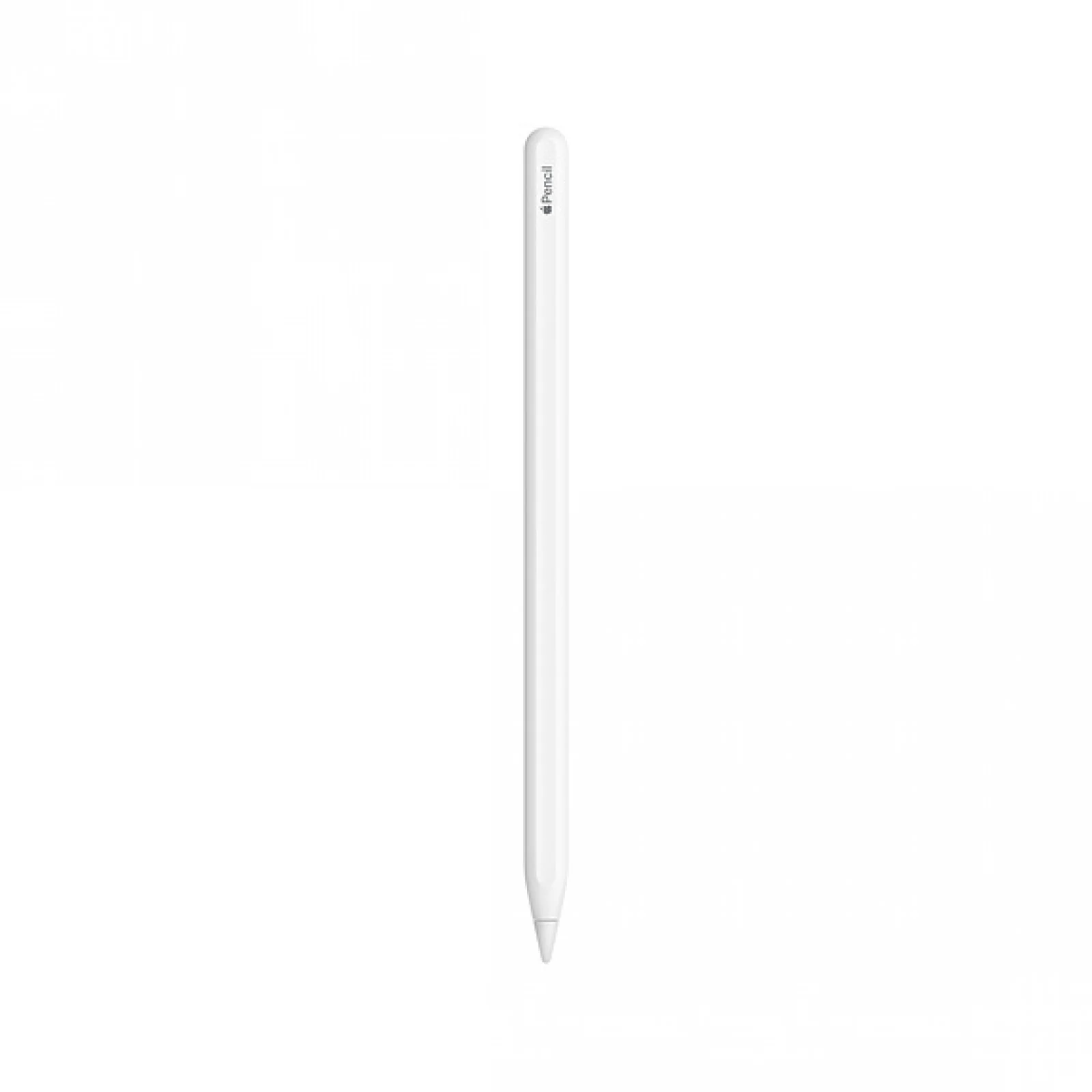
The second‑generation Apple Pencil feels solid in the hand, thanks to its matte finish and flat side that snaps magnetically to compatible iPads. The sleek, all‑metal body is lighter than many third‑party alternatives, making long sketch sessions comfortable. Its lack of a removable cap eliminates the risk of losing small parts – a common complaint with the first generation.
Performance – precision and latency
Apple claims “pixel‑perfect precision and industry‑leading low latency,” and real‑world tests confirm a lag that’s virtually invisible. Whether you’re drawing fine lines or shading large areas, the stylus tracks at 2,048 levels of pressure, delivering smooth strokes that feel like real graphite.
Usability – double‑tap and magnetic charging
The built‑in touch surface lets you double‑tap to switch tools without setting the Pencil down. This works well for artists who toggle between brush and eraser, or students who need to switch between pen and highlighter. When you attach the Pencil to the iPad’s side, it starts charging instantly and pairs automatically, removing the need for a Lightning connector.
Battery life and magnetic charging
The Apple Pencil 2 holds a charge for roughly 12 hours of continuous drawing, which is more than enough for a typical workday. Because it charges magnetically, you can top up the battery in short bursts – a 15‑second attachment adds about 30 minutes of use. In Uganda’s often‑unreliable power environment, this quick‑charge capability is a practical advantage over the first‑generation model that requires a Lightning cable.
Software integration and iPadOS features
iPadOS 15 and later expose several Pencil‑specific gestures: you can swipe left or right with the double‑tap to change brushes, activate the eraser, or open the color palette. The Apple Notes app now supports pressure‑sensitive sketching, while third‑party apps like Procreate and Notability unlock the full 2,048 pressure levels. The Pencil also works with Apple’s Scribble feature, converting handwritten notes into typed text in real time – a boon for students and professionals alike.
Compatibility checklist
The Apple Pencil (2nd generation) works with the following models, all of which are sold in Uganda:
- iPad Air (4th generation)
- iPad Pro 12.9‑inch (3rd, 4th, 5th Gen)
- iPad Pro 11‑inch (2nd, 3rd Gen)
If your iPad isn’t on this list, the Pencil won’t pair, and you’ll need the first‑generation stylus or a compatible third‑party option.
Value for money in Uganda
Apple lists the Pencil at UGX600,000, but the Apple Store Uganda currently offers it for UGX550,000. That price is considerably higher than the $15‑ish knock‑offs mentioned by Creative Bloq, which can draw basic lines but often suffer from lag, inaccurate pressure, and unreliable charging.
For professionals who rely on consistent performance, the official Apple Pencil justifies its cost. For casual note‑takers, a cheaper alternative might suffice, but they should be aware of the trade‑offs.
| Feature | Apple Pencil 2nd Gen | Apple Pencil 1st Gen |
|---|---|---|
| Charging | Magnetic attachment | Lightning connector |
| Double‑tap | Yes | No |
| Compatibility | iPad Pro 11/12.9 in, iPad Air 4 | Older iPad Pro, iPad (6th gen) and later |
Comparing Apple Pencil 2 with popular alternatives
Below is a quick comparison with two well‑known third‑party styluses that are available in Kampala electronics markets.
| Brand | Price (UGX) | Pressure Levels | Latency | Charging Method |
|---|---|---|---|---|
| Logitech Crayon | UGX250,000 | 1,024 | ~30 ms | USB‑C |
| Adonit Note‑Plus | UGX300,000 | 2,048 | ~20 ms | Magnetic |
Both alternatives are cheaper, but the Logitech Crayon lacks double‑tap functionality and has a larger tip, while the Adonit offers comparable pressure but falls short on the seamless magnetic pairing that Apple users expect.
Who should buy the Apple Pencil 2?
Artists and designers who need reliable pressure sensitivity will find the Pencil indispensable. Students who annotate PDFs or take handwritten notes benefit from the seamless pairing and quick tool switching. Business professionals using iPad for presentations also gain from the precise cursor control.
If you only need occasional doodling, a low‑cost alternative may be enough, but expect compromises in latency and build quality.
Practical next steps
Before purchasing, verify that your iPad model appears in the compatibility list. Visit Apple Store Uganda or iPhone Shop Kampala to test the magnetic attachment in‑store – a quick demo can confirm the feel you prefer. Once you decide, the Pencil ships immediately, so you can start creating on your iPad without delay.
Apple Pencil 2nd Generation Review – Overall Verdict
Overall, the Apple Pencil 2nd generation lives up to its premium price in the Ugandan market. Its precision, low latency, and integrated charging make it the most reliable stylus for creative and professional work. While the cost is higher than local knock‑offs, the long‑term productivity gains and Apple ecosystem integration provide solid value for anyone who uses an iPad as a primary creative tool.
Apple Pencil (2nd Generation)
UGX550,000
FAQ
Is the Apple Pencil 2nd generation compatible with my iPad Air?
Yes, it works with the iPad Air (4th generation) and newer iPad Pro models listed in the product specs.
How does the double‑tap feature work?
Tap the flat side of the Pencil once to switch between two preset tools, like pen and eraser, as configured in iPad settings.
Can I use a cheap third‑party stylus instead?
Cheaper styluses exist, but they often lack the low latency, pressure levels and magnetic charging that the Apple Pencil provides.
What is the price difference between the regular and sale price?
The regular price is UGX600,000, while the current sale price is UGX550,000.