MacBook Neo 13‑inch Review: How to Use the Citrus Model in Uganda

macbook neo 13 inch users in Uganda will appreciate this comprehensive guide covering setup, accessories, performance, and buying options.
The MacBook Neo 13‑inch Citrus is Apple’s newest lightweight laptop, and it arrives in Uganda with a vibrant orange finish and a powerful A18 Pro chip. If you’re wondering how to use this device for study, work or creative projects, this guide walks you through the essentials.
Key takeaways
- Quick first‑time setup using iCloud and Touch ID.
- Best accessories for protection and connectivity.
- Performance tips to stretch the 8 GB unified memory.
- Where to buy the MacBook Neo 13‑inch Citrus in Uganda.
Unboxing and first‑time setup of the macbook neo 13 inch
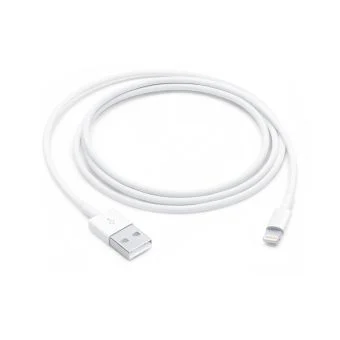
When you open the box, you’ll find the MacBook Neo 13‑inch, a USB‑C power adapter, a USB‑C charge cable and a brief start‑up guide. Power the laptop by connecting the charger to any USB‑C port. The first boot launches the Setup Assistant, which walks you through signing in with your Apple ID, enabling Touch ID, and choosing iCloud options. Because the device ships with Wi‑Fi 6E, you’ll enjoy faster wireless speeds on modern routers, which is especially useful in Kampala’s new fiber‑to‑the‑home areas.
Everyday performance – what the macbook neo 13 inch can handle
The A18 Pro chip, paired with 8 GB of unified memory, delivers smooth performance for web browsing, Microsoft Office, video streaming and light photo editing. Battery life reaches up to 16 hours of video playback, so you can work through a full day without hunting for a power outlet. For heavier multitasking, keep an eye on memory usage in Activity Monitor and close unused apps to maintain speed.
Essential accessories for macbook neo 13 inch owners in Uganda
Macworld lists eleven accessories worth considering. The most practical for Ugandan users are:
- Protective sleeve or case – the Citrus finish is eye‑catching but can scratch on rough surfaces.
- USB‑C hub – adds HDMI, SD card and Ethernet ports for office setups.
- External SSD – useful for backing up large projects when local storage runs low.
- Screen protector – guards the Liquid Retina display against dust and fingerprints.
All these accessories are available from Apple Store Uganda and local retailers.
Comparing the macbook neo 13 inch with other Apple laptops
| Model | Starting US price | Chip | Storage |
|---|---|---|---|
| MacBook Neo 13‑inch | $670 | A18 Pro | 512 GB |
| MacBook Air 13‑inch | $870 (after $200 off) | A15 Bionic | 256 GB |
While the Air offers a slightly larger battery, the Neo’s A18 Pro chip provides a newer architecture and the Citrus model adds a fresh aesthetic. For students and professionals in Uganda who value portability and style, the Neo is a compelling choice.
“Apple expects MacBook Neo unit sales to double to 16 million in 2027.” – MacDailyNews
Getting the best value – where to buy the macbook neo 13 inch in Uganda
The MacBook Neo 13‑inch Citrus is in stock at Apple Store Uganda for UGX 4,200,000. The store offers secure payment options, fast nationwide delivery, and professional support. Buying locally also ensures you receive a genuine Apple warranty and access to local service centers.
Practical tips for daily use in Uganda
1. Use a power bank with USB‑C PD (Power Delivery) when you’re on the move in areas with unreliable electricity.
2. Enable Dark Mode to reduce eye strain under bright Kampala sunlight.
3. Regularly back up to iCloud or an external drive to protect against power outages.
4. Keep the system updated; macOS updates improve security and performance.
With these steps, the MacBook Neo 13‑inch Citrus becomes a reliable companion for study, work and creative pursuits across Uganda.
Battery optimization for macbook neo 13 inch in Uganda
To squeeze the most out of the 16‑hour battery, adjust the Energy Saver settings to turn off the display after 5 minutes of inactivity, and enable the “Optimized Battery Charging” feature that learns your daily routine. When you know you’ll be away from a charger for an extended period, switch to Low Power Mode; it reduces background activity and can add another hour or two of runtime.
Recommended software and apps for macbook neo 13 inch users
Beyond the default macOS suite, Ugandan creators often rely on Adobe Photoshop Lightroom for photo editing, DaVinci Resolve for video work, and Microsoft Teams for remote collaboration. All run smoothly on the A18 Pro chip, but keep an eye on storage; external SSDs are a cost‑effective way to keep large project files off the internal drive.
Local support, warranty, and service options
Apple’s authorized service providers in Kampala and Entebbe can handle hardware repairs under the standard one‑year warranty. For quicker turnaround, consider purchasing AppleCare+, which extends coverage to two years and includes accidental damage protection. Many retailers also offer on‑site setup assistance, which can be handy for first‑time macOS users.
MacBook Neo 13-inch 512GB – Citrus
UGX4,200,000
FAQ
How do I set up Touch ID on the MacBook Neo 13‑inch?
Open System Settings > Touch ID, then follow the prompts to register a fingerprint; you can use it for login and Apple Pay.
Does the MacBook Neo 13‑inch support external monitors?
Yes, connect an external display via a USB‑C to HDMI or DisplayPort adapter; it supports up to 6K resolution.
What accessories are most useful for students in Uganda?
A protective sleeve, USB‑C hub with Ethernet, and a portable power bank are the top picks.
Is the 512 GB storage enough for typical university work?
For most coursework, documents and media, 512 GB is ample; consider an external SSD for large video projects.
Can I get a local warranty for the MacBook Neo 13‑inch?
Yes, purchasing from Apple Store Uganda includes Apple’s standard warranty and access to local service centers.
Sources
- OS X Daily: Deals: MacBook Neo from $670, $200 Off MacBook Air, & More
- Macworld: The 11 accessories every MacBook Neo owner should buy
- MacDailyNews: Apple expects MacBook Neo unit sales to double to 16 million in 2027
- MacRumors: Best MacBook Pro, MacBook Air, and MacBook Neo Deals for November 2026
- Geekman: Best MacBook in India 2026: Neo vs Air vs Pro Compared