MacBook Neo in Uganda: Apple’s Cheapest Laptop – 9 Best Things to Know (2026)
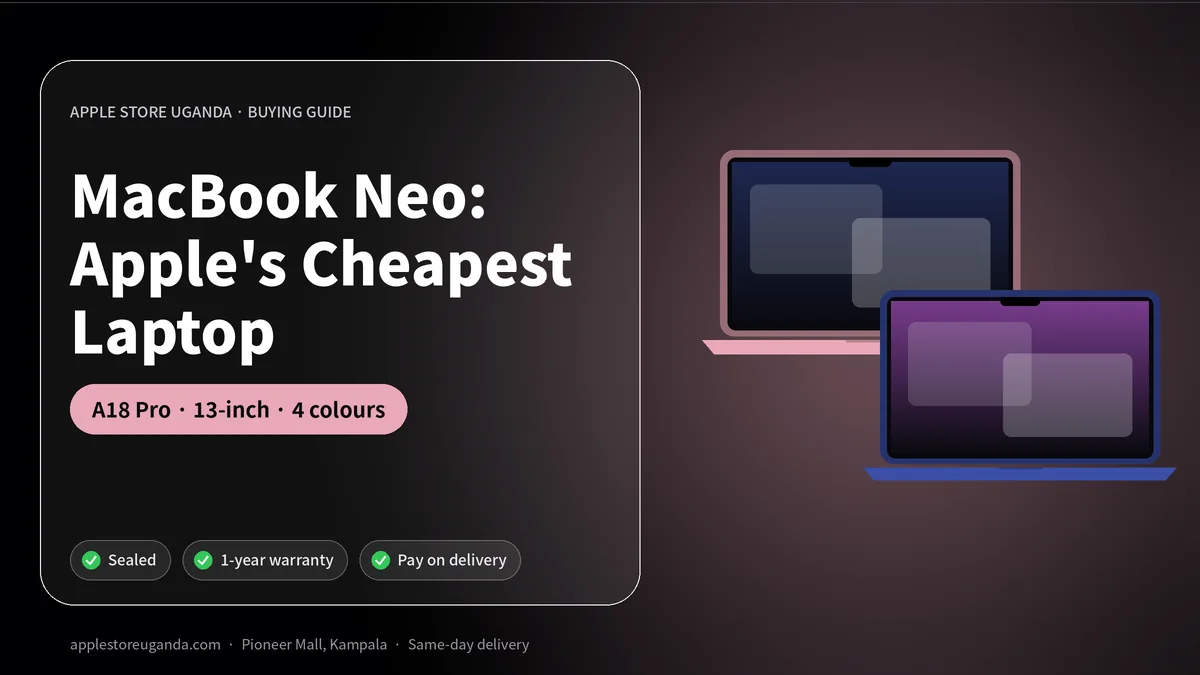
The MacBook Neo is Apple’s most affordable laptop ever. Apple announced it on 4 March 2026 at a US price of $599, and it went on sale on 11 March. It uses the A18 Pro chip from the iPhone 16 Pro, has a 13-inch display, 8GB of memory and comes in four bright colours. This guide explains what the MacBook Neo offers students and small businesses in Uganda.
For years, the MacBook Air was the cheapest way into the Mac world. The MacBook Neo changes that. It is aimed at students, first-time Mac owners and anyone who wants a reliable laptop for school, office work and everyday browsing without paying MacBook Air prices.
Want today’s price and stock?
MacBook Neo at a glance
| Feature | MacBook Neo |
|---|---|
| Announced | 4 March 2026 |
| On sale | 11 March 2026 |
| US launch price | $599 (256GB) |
| Chip | A18 Pro (from the iPhone 16 Pro) |
| Memory | 8GB, not upgradable |
| Storage | 256GB or 512GB |
| Display | 13-inch |
| Design | Fanless |
| Colours | Silver, Blush, Citrus, Indigo |
| Touch ID | On the 512GB model |
MacBook Neo price
At launch, the MacBook Neo started at $599 in the United States with 256GB of storage, and $499 for college students through Apple’s education store. An extra $100 doubled storage to 512GB and added Touch ID. Reports from mid-2026 say Apple later raised several Mac prices, with the MacBook Neo moving to $699.
In Uganda, the final price depends on import costs, exchange rates and stock. Message Apple Store Uganda on WhatsApp for availability and today’s price in Kampala.
9 best things to know about the MacBook Neo
1. It is the first Mac with an iPhone chip
The MacBook Neo is the first Mac to use a chip that was designed for an iPhone. The A18 Pro is the same chip that powers the iPhone 16 Pro. It is fast and very efficient, which means good battery life and smooth performance for everyday tasks.
2. It is fanless and silent
There is no fan inside, so the laptop is completely silent. That is perfect for libraries, lecture halls, offices and late-night study at home.
3. It has 8GB of memory
Memory is fixed at 8GB and cannot be upgraded. For web browsing, Google Docs, Microsoft Office, Zoom and streaming, 8GB is fine. For heavy video editing, large spreadsheets or many apps open at once, a MacBook Air is the better choice.
4. It comes in four colours
Silver is classic. Blush is a soft pink. Citrus is a bright yellow-green. Indigo is a deep blue. Students in particular love having a laptop that stands out.
5. Storage options are simple
You choose 256GB or 512GB. Because you cannot add storage later, choose 512GB if you keep many photos, videos or large files on your laptop.
6. Touch ID on the higher model
The 512GB version adds Touch ID, so you can unlock the laptop, approve purchases and fill passwords with your fingerprint.
7. It runs macOS 27 and Apple Intelligence
The MacBook Neo runs the latest macOS, known as macOS Golden Gate. It works smoothly with your iPhone: copy on the phone and paste on the Mac, receive calls, send messages and AirDrop photos instantly.
8. A second version is already reported
Bloomberg reported that Apple plans a second-generation model in 2027 with an A19 Pro chip, 12GB of memory and new colours. That is normal for Apple, and the current model will still receive updates for years.
9. It is built for students
With an education price of $499 in the US, the MacBook Neo is clearly aimed at students. For schools and universities in Uganda, it is a strong option for assignments, research, online classes and presentations.
MacBook Neo vs MacBook Air M5
| MacBook Neo | MacBook Air M5 | |
|---|---|---|
| Chip | A18 Pro | M5 |
| Memory | 8GB | 16GB in our shop |
| Base storage | 256GB | 512GB |
| Fan | No | No |
| Best for | Students, basic office work | Professionals, creators, multitasking |
| In our shop | Ask on WhatsApp | From UGX 5,600,000 |
If you need more memory, more storage and more power, the MacBook Air M5 is the safer long-term choice. Read our full MacBook Air M5 guide.
Who should buy the MacBook Neo?
- Secondary and university students who need a dependable laptop for school work.
- First-time Mac users moving from a Windows laptop or an iPad.
- Small business owners who use email, WhatsApp Web, spreadsheets and online banking.
- Families who want a simple shared laptop for homework and video calls.
Who should choose a different Mac?
- Video editors and designers should choose a MacBook Air M5 or a MacBook Pro with more memory.
- Developers who run many tools at once will benefit from 16GB or more.
- Power users who keep dozens of browser tabs open should avoid 8GB of memory.
Battery life and charging
Because the A18 Pro is so efficient, the MacBook Neo is designed to last through a full school or working day. Charging is through USB-C, and you can use the same USB-C cable as your iPhone 15 or newer. Keep a spare USB-C to USB-C cable in your bag for long days at campus.
During power cuts, the battery keeps you working. Many students in Kampala use their laptop battery to finish assignments when the power goes off.
Using the MacBook Neo with your iPhone
The real magic is how the MacBook Neo works with an iPhone:
- AirDrop photos and documents between iPhone and Mac in seconds.
- iPhone Mirroring shows and controls your iPhone screen on the Mac.
- Universal Clipboard lets you copy on one device and paste on the other.
- Messages and calls appear on the Mac when your iPhone is nearby.
- Hotspot connects the Mac to your iPhone’s MTN or Airtel data with one click.
If you do not have an iPhone yet, see our iPhone 17 price guide or the best iPhone under 3.5 million UGX.
Software students will use
The MacBook Neo comes with Pages, Numbers and Keynote for free, which open and save Word, Excel and PowerPoint files. Microsoft 365, Google Docs, Canva, Zoom, Google Meet and Teams all run well. Safari and Chrome are both available for browsing and research.
How to protect your laptop
- Use a padded sleeve or bag when travelling on boda bodas and taxis.
- Keep liquids away from the keyboard.
- Use a surge protector, because power surges after load-shedding can damage chargers.
- Turn on Find My Mac so you can locate or lock it if it is lost.
- Back up important work to iCloud or an external drive.
Is the MacBook Neo worth it in Uganda?
For students and everyday users, yes. It brings the quality, security and long software support of a Mac at the lowest price Apple has ever offered. It is not a professional workstation, but for school, office and home use it is excellent value.
How to order from Apple Store Uganda
Message us on WhatsApp with the colour and storage you want. We confirm stock and price, and you can reserve with a 30% deposit and pay the balance within 14 days. Delivery is same-day in Kampala and Entebbe, and you can pay on delivery by cash, MTN MoMo, Airtel Money or card.
Official details are on Apple’s Mac page.
Why Apple made a cheaper MacBook
For years, many students and families chose Windows laptops or Chromebooks simply because the cheapest MacBook cost too much. Apple’s answer is to reuse a proven iPhone chip in a simple laptop design. The A18 Pro has already powered millions of iPhones, so it is reliable and efficient, and using it keeps costs down.
The result is a laptop that feels like a Mac in every important way: the same macOS, the same security, the same app ecosystem and the same long software support, at a much lower price. For a country like Uganda where budgets matter, that is a big change.
What 8GB of memory means in daily use
Memory, or RAM, is the workspace your computer uses for open apps. With 8GB you can comfortably:
- Browse the web with 10 to 15 tabs open.
- Write in Word, Pages or Google Docs.
- Use Excel or Numbers for normal spreadsheets.
- Join Zoom, Teams and Google Meet calls.
- Stream YouTube and Netflix.
- Edit photos in the Photos app and simple apps.
You may notice slowdowns if you run many heavy apps at the same time, edit long 4K videos or open very large files. macOS manages memory well, but 8GB is the main limit of this laptop. That is why we always ask customers how they will use their Mac before recommending a model.
Display and design
The 13-inch display is sharp and bright enough for indoor work and reading. The aluminium body feels solid and premium, not cheap, and the bright colours make the laptop easy to spot in a lecture hall.
Because there is no fan, the bottom of the laptop can feel warm during heavy tasks, but it stays completely silent. For most school and office work, it stays cool.
Setting up your new MacBook
- Turn on the laptop and choose your language and region.
- Connect to Wi-Fi or your iPhone hotspot.
- Sign in with your Apple Account, the same one used on your iPhone.
- Turn on iCloud Drive, Photos and Keychain so files and passwords sync.
- Turn on Find My Mac and FileVault for security.
- Install the apps you need from the App Store or the developer’s website.
If you are moving from a Windows laptop, Apple’s Migration Assistant can copy documents, photos and browser bookmarks. Our team at Pioneer Mall, Shop PB92, can help you set everything up.
Mac basics for Windows users
- The Command key (⌘) works like Ctrl on Windows: Command+C to copy, Command+V to paste.
- The Dock at the bottom works like the Windows taskbar.
- Finder is like File Explorer.
- Spotlight (Command+Space) finds files and apps instantly.
- System Settings is like the Windows Control Panel.
Most people feel at home on a Mac within a few days.
Total cost of ownership
A cheaper laptop is not always the cheapest choice over time. Macs usually receive software updates for many years, rarely suffer from viruses and keep their resale value well in Kampala. When you upgrade later, a well-kept Mac can be traded in or sold for a good price, lowering the real cost of ownership.
MacBook Neo for different users in Uganda
Secondary school students. Senior four and senior six students preparing assignments, research projects and presentations will find the laptop simple and reliable. Parents like that macOS is secure and easy to manage with Screen Time.
University students. At Makerere, Kyambogo, UCU, MUBS and other universities, students need a laptop that lasts through lectures and handles research papers, group projects and online exams. The long battery and silent design are a perfect fit.
Teachers and lecturers. Prepare lesson notes, mark work digitally, run presentations on a projector and join online meetings with colleagues.
Freelancers. Writers, virtual assistants, social media managers and translators who work online can run their business on a MacBook Neo, as long as they do not need heavy creative apps.
Small offices. Receptionists, accountants using cloud software and administrative staff will find it more than enough for their daily work.
Common questions from first-time buyers
Many customers ask whether a cheaper Mac will feel slow. For the tasks it is designed for, it will not. The A18 Pro chip is very fast for web browsing, documents and video calls. Where you notice the limit is with very heavy tasks or many demanding apps at once, because of the fixed 8GB memory.
Others ask about viruses. macOS includes strong built-in protection, and threats are less common than on Windows. You should still install updates, avoid pirated software and be careful with suspicious links.
People also ask about printing. Most modern printers work with macOS through AirPrint or the manufacturer’s driver. Check your printer model before buying if you rely on an older printer.
Connecting accessories
The laptop uses USB-C for charging and accessories. If you use older USB-A flash drives, mice or projectors, buy a small USB-C hub or adapter. A hub with HDMI is useful for teachers and presenters who connect to projectors and TVs.
Learning resources
Apple’s built-in Tips app and the Mac User Guide explain every feature. YouTube also has thousands of free tutorials for new Mac users. Students can learn coding with Swift Playgrounds and Xcode, and creative skills with GarageBand and iMovie, which are free.
Our verdict
This is the most exciting Apple product of 2026 for buyers on a budget. It gives you the Mac experience, long software support and excellent battery life at the lowest price Apple has offered. It is not designed for heavy creative work, but for school, office and home use it is an outstanding choice. If you need more power, step up to the MacBook Air M5.
Five checks before you buy any laptop in Kampala
- Confirm the model. Click the Apple menu and choose About This Mac to see the exact model and chip.
- Check the serial number. Enter it on Apple’s coverage website to confirm it is genuine and new.
- Inspect the box. A new Mac comes sealed with Apple’s pull tabs intact.
- Test the keyboard, trackpad and ports. Open a document, type, and plug in a USB-C cable.
- Ask for a receipt. It should show the model, storage, colour and warranty.
At Apple Store Uganda you can open and test your new laptop before you pay.
Warranty and after-sales support
Every new laptop from Apple Store Uganda comes sealed with warranty. Keep the box and receipt. If anything goes wrong, message us on WhatsApp or visit the shop, and our team will guide you through the next steps.
Frequently Asked Questions
What is the MacBook Neo?
It is Apple's most affordable laptop, launched in March 2026 with the A18 Pro chip and a 13-inch display.
How much is the MacBook Neo?
It launched at $599 in the US, with reports that the price later rose to $699. Ask us for the Uganda price.
How much RAM does the MacBook Neo have?
8GB, and it cannot be upgraded.
What colours does the MacBook Neo come in?
Silver, Blush, Citrus and Indigo.
Does the MacBook Neo have a fan?
No. It is fanless and completely silent.
Is the MacBook Neo good for students?
Yes. It is designed for school work, research, online classes and everyday tasks.
MacBook Neo or MacBook Air?
Choose the Neo for basic use on a budget. Choose the MacBook Air M5 for more memory, storage and power.
Can I upgrade the storage later?
No. Choose 256GB or 512GB at purchase, or use iCloud or an external drive for extra space.
Does it work with Microsoft Office?
Yes. Word, Excel, PowerPoint and Outlook all run on macOS.
Is there a student discount?
Apple's education price in the US was $499. In Uganda, ask us on WhatsApp about current offers.
Can I connect it to a projector?
Yes, using a USB-C to HDMI adapter or hub.
How long does the battery last?
It is designed to last through a full day of typical school or office use.
Can I play games on it?
Yes, many Mac and Apple Arcade games run well, though it is not designed for heavy gaming.
Order with same-day delivery in Kampala & Entebbe, or pay 30% to reserve.