Mac mini M6 in Uganda: 9 Best Reasons It’s the Smartest Desktop of 2026
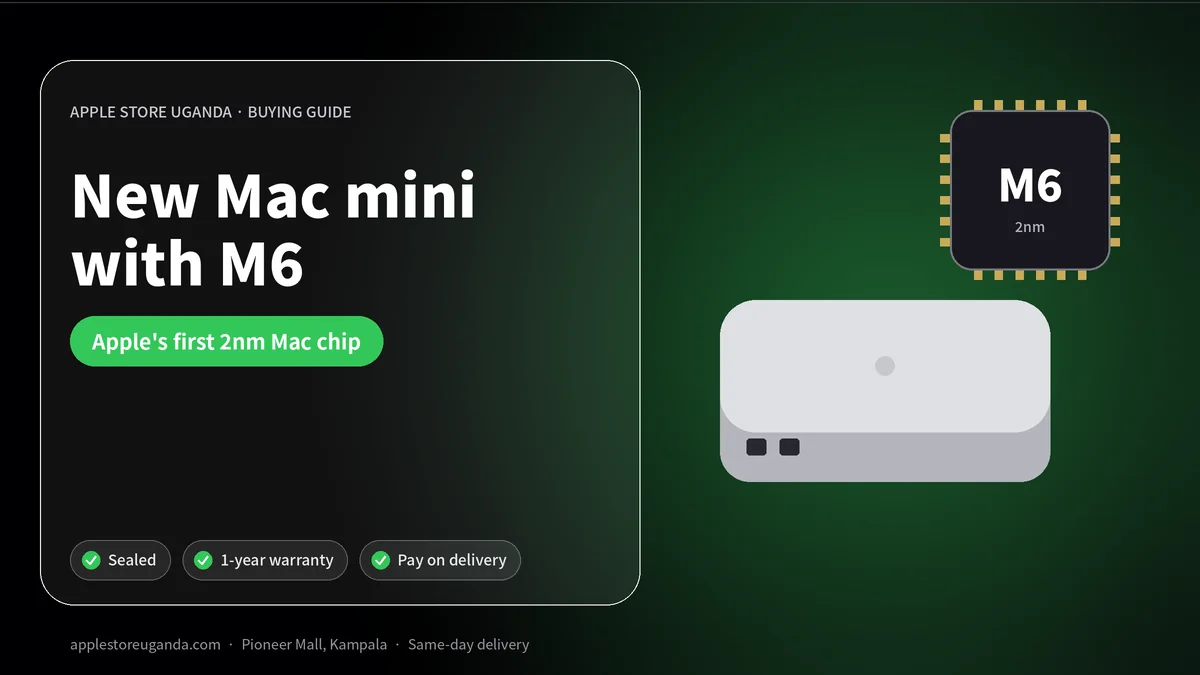
The new Mac mini is one of the best-value computers Apple has ever made. Announced on 25 August 2026 and on sale from 22 September, it comes with Apple’s new M6 chip, the company’s first 2-nanometre Mac chip, or the more powerful M5 Pro. The Mac mini with M6 starts at $899 in the US with 16GB of memory. This guide explains what the new Mac mini offers offices, students, creators and businesses in Uganda.
The Mac mini is a small square desktop computer. You connect your own monitor, keyboard and mouse, so it costs much less than an iMac or MacBook with similar power. For reception desks, offices, studios, schools and home users, it is often the smartest way to buy a Mac.
Want today’s price and stock?
Mac mini 2026 at a glance
| Feature | Mac mini with M6 | Mac mini with M5 Pro |
|---|---|---|
| Announced | 25 August 2026 | 25 August 2026 |
| On sale | 22 September 2026 | 22 September 2026 |
| US starting price | $899 | $1,699 |
| CPU | 12-core | Up to 18-core |
| GPU | 12-core with Neural Accelerators | Up to 20-core |
| Memory | 16GB, up to 32GB | Up to 64GB |
| Memory bandwidth | Up to 170GB/s | 307GB/s |
| Networking | Wi-Fi 7, Bluetooth 6, 2.5Gb Ethernet (10Gb option) | Same |
According to Apple’s announcement, the Mac mini with M6 delivers up to 4x faster AI performance, 2x faster graphics and storage, and 40 percent faster CPU performance than the previous Mac mini with M4.
9 best reasons to buy the new Mac mini
1. Apple’s first 2nm Mac chip
The M6 is built on a 2-nanometre process, the most advanced Apple has used in a Mac. Smaller transistors mean more speed and better efficiency. In daily use, the Mac mini feels instant whether you are opening apps, editing photos or running many browser tabs.
2. Huge performance for the price
At $899 in the US, the Mac mini with M6 offers a 12-core CPU, a 12-core GPU and the new dual 16-core Neural Engine. Apple says it has the world’s fastest single-threaded CPU performance. Few desktops at this price come close.
3. 16GB of memory as standard
The Mac mini starts with 16GB of unified memory and can be configured up to 32GB with M6. That is enough for office work, coding, photo editing and light video editing. With M5 Pro, you can go up to 64GB for heavier creative and technical work.
4. Tiny size, big flexibility
The Mac mini fits on any desk, behind a monitor or on a shelf. Schools, banks, hotels and offices like it because it saves space and is easy to secure.
5. Built for AI
Every GPU core has Neural Accelerators, and the dual 16-core Neural Engine powers Apple Intelligence and AI apps. Apple specifically highlights “agentic AI workflows”, meaning AI assistants that complete multi-step tasks for you. Developers in Kampala’s tech scene can also run local AI models on the Mac mini.
6. Fast networking
Wi-Fi 7 and Bluetooth 6 are built in, and the Ethernet port is now 2.5Gb, with a 10Gb option. For offices with fast wired networks, this means quicker file transfers and more reliable connections than Wi-Fi alone.
7. Quiet and efficient
Apple silicon uses little power, so the Mac mini runs quietly and adds very little to your electricity bill compared with a traditional desktop PC. During power cuts, it runs for longer on a UPS than power-hungry computers.
8. macOS 27 with Siri AI
The new Mac mini runs macOS 27 Golden Gate with Siri AI, Visual Intelligence on screen, Write with Siri and smart Safari features that organise tabs and track price drops.
9. A great education price
In the US, students and educators can buy the Mac mini with M6 for $799. In Uganda, ask us about current offers for schools, universities and students.
Mac mini with M6 or M5 Pro?
Choose the M6 if you work with documents, spreadsheets, browsers, email, photo editing, coding and light video editing. It is the right choice for most homes, students and offices.
Choose the M5 Pro if you edit 4K video regularly, produce music with many tracks, develop games or work with large 3D and AI projects. The extra CPU and GPU cores, higher memory limit and faster memory bandwidth make a real difference for these users.
What you need to use a Mac mini
The Mac mini does not include a screen, keyboard or mouse. You will need:
- A monitor. Any HDMI or USB-C display works. For creatives, Apple’s Studio Display is the premium choice.
- A keyboard and mouse. Apple’s Magic Keyboard and Magic Mouse or Trackpad work best, but most USB and Bluetooth models work.
- Speakers or headphones. The built-in speaker is basic, so add speakers or headphones such as AirPods Max 2.
- A UPS. Protect your computer from power cuts and voltage spikes.
If you already own a monitor, keyboard and mouse, the Mac mini is the cheapest way to get a powerful new Mac.
Mac mini vs MacBook Air M5
| Mac mini (M6) | MacBook Air M5 | |
|---|---|---|
| Type | Desktop | Laptop |
| Portability | Stays on desk | Take anywhere |
| Screen | Use your own | Built-in 13-inch or 15-inch |
| Battery | No (use a UPS) | Yes, all-day |
| Best for | Offices, studios, home desks | Students, travel, remote work |
| In our shop | Ask on WhatsApp | From UGX 5,600,000 |
If you need to carry your computer or work through power cuts without a UPS, a MacBook Air M5 is better. If your computer always stays on a desk, the Mac mini gives you more performance for your money.
Mac mini for businesses in Uganda
Businesses across Kampala use Mac mini computers for:
- Reception and front desks at hotels, clinics and offices.
- Accounts and administration with cloud accounting software and spreadsheets.
- Design studios creating logos, flyers and social media content.
- Retail and point of sale systems.
- Servers and automation running websites, backups and AI agents around the clock.
Because the Mac mini is small, quiet and uses little power, it is easy to install in tight spaces and cheap to run all day.
Mac mini for students and home users
For families, a Mac mini connected to a TV or monitor becomes a home computer for homework, research, video calls with relatives abroad and entertainment. Students studying IT, design or media get a powerful computer for coding, editing and creative projects at a lower cost than a high-end laptop.
Mac mini for developers and AI
Developers love the Mac mini as a build machine, test server or always-on AI agent host. With M6’s 4x faster AI performance compared with the M4 model and support for local AI tools, a small team can run powerful workflows without paying for cloud servers every month.
Ports and connectivity
The Mac mini includes a range of ports for monitors, storage and accessories, along with Ethernet and HDMI. Thunderbolt and USB-C ports connect fast external drives and docks. Check the number of displays you need; M5 Pro models support more external displays than M6.
Power, heat and noise
The Mac mini draws far less power than a typical tower PC, which matters when electricity is expensive and power cuts are common. Apple silicon also produces little heat, so the Mac mini stays quiet even in warm offices. Keep it in a ventilated spot, not inside a closed cabinet.
Setting up your Mac mini
- Connect the monitor, keyboard, mouse and power.
- Plug in Ethernet or connect to Wi-Fi.
- Sign in with your Apple Account.
- Use Migration Assistant to move files from your old computer.
- Turn on FileVault, Find My and automatic updates.
- Connect the Mac mini to a UPS to protect it from power cuts.
Our team can help set up Mac mini computers for homes, schools and offices in Kampala.
Should you upgrade from an older Mac mini?
If you have an Intel Mac mini or an M1 model, the new Mac mini will feel dramatically faster, especially for AI features and creative apps. Owners of M4 models will still see gains, but the upgrade is less urgent. Bring your old Mac to our Trade-In desk for a valuation.
Mac mini vs Mac Studio
The Mac mini is the best value desktop. The Mac Studio is Apple’s most powerful Mac, with M5 Max or M5 Ultra chips, up to 512GB of memory and Thunderbolt 5. Choose the Mac Studio only if you work with 8K video, large AI models or complex 3D scenes.
Buying a Mac mini safely in Kampala
- Confirm the chip and memory in About This Mac.
- Check the serial number on Apple’s coverage website.
- Make sure the box is sealed.
- Ask for a receipt that lists the configuration and warranty.
At Apple Store Uganda you can check your Mac before you pay.
How to order
Message us on WhatsApp with the chip, memory and storage you need. We confirm price and availability, and you can reserve with a 30% deposit and pay the balance within 14 days. Same-day delivery is available in Kampala and Entebbe.
Understanding the 2nm chip in simple words
Computer chips are made of billions of tiny switches called transistors. The “2nm” label describes the manufacturing process used to make them. Smaller, more advanced processes allow more transistors in the same space, using less electricity. That is why a small, quiet desktop can now outperform large, noisy towers from just a few years ago.
For you, this means three practical benefits: faster everyday performance, lower electricity use and less heat. In offices where several computers run all day, the savings on power and cooling add up over a year.
Real-world scenarios in Uganda
A clinic reception in Ntinda uses a compact desktop to manage appointments, patient records and billing. It sits behind the monitor, runs silently and starts instantly every morning.
A printing and design shop in Kampala’s city centre designs banners, flyers and wedding cards all day. With enough memory and a good colour monitor, designers move between Illustrator, Photoshop and Canva without waiting.
A software start-up runs automated tests, builds apps and hosts internal tools on a small desktop that stays on around the clock, using a fraction of the electricity of a server.
A family home in Entebbe connects the computer to the living-room TV for homework, video calls with relatives in the UK and US, and streaming movies.
Monitor recommendations
The display you choose matters as much as the computer. For office work, a 24-inch Full HD or 27-inch QHD monitor is comfortable and affordable. For photo and video work, choose a colour-accurate 4K or 5K display. Apple’s 27-inch 5K Studio Display offers excellent sharpness, a built-in 12MP Center Stage camera and good speakers, which is useful for video calls without extra accessories.
If you want to use a TV, connect through HDMI. Most modern TVs work well for movies and presentations, though text can look less sharp than on a dedicated monitor.
Memory and storage advice
| Your work | Suggested setup |
|---|---|
| Office, browsing, school work | M6 with 16GB |
| Photo editing, coding, light video | M6 with 24GB or 32GB |
| 4K video, music production, game development | M5 Pro with 32GB to 64GB |
Storage can be expanded with external drives, but memory cannot be upgraded later. If you are unsure, choose more memory rather than more internal storage, and use a fast external drive for large files.
Security and management for offices
macOS includes FileVault disk encryption, a built-in firewall, Gatekeeper protection against malicious apps and automatic security updates. For offices with several computers, Apple Business Manager and device management tools let IT staff set up and control machines remotely. These features help protect customer data and company files.
Common mistakes to avoid
- Buying too little memory. You cannot add more later.
- Skipping the UPS. Power cuts can corrupt files and damage hardware.
- Using cheap HDMI cables. Poor cables cause flickering and resolution problems.
- Ignoring backups. Use Time Machine with an external drive and keep a second copy in the cloud.
Our verdict
The 2026 desktop is one of the best computers Apple has ever made for the price. It is tiny, quiet, efficient and very fast. For offices, students, families and creators who work at a desk, it offers far more performance per shilling than a laptop. Choose M6 for most uses and M5 Pro for heavy creative work.
Keyboards, mice and peripherals
Apple’s Magic Keyboard with Touch ID lets you unlock the computer and approve payments with your fingerprint. The Magic Trackpad brings the same gestures you use on a MacBook to your desk. Third-party keyboards and mice also work well, including affordable USB and Bluetooth models available across Kampala.
Printers, scanners, external drives and webcams generally work with macOS. Check your specific models before buying, especially older office printers that may need updated drivers.
Running it as a home server
Because it uses so little power, many tech enthusiasts leave a small Apple desktop running all the time. It can store family photos, back up other computers, run a media server for the TV or host automation and AI assistants. With Wi-Fi 7 and fast Ethernet, files move quickly around the home or office network.
Education and schools
Schools setting up computer labs value compact desktops that are easy to secure, cool, quiet and efficient. Pair each unit with a standard monitor, keyboard and mouse, and use device management to install apps and control settings centrally. Students can learn coding with Swift Playgrounds and Xcode, video editing with iMovie and music with GarageBand at no extra cost.
Warranty and support
New computers from Apple Store Uganda come sealed with warranty. Keep your receipt and box. If anything goes wrong, contact us on WhatsApp or visit Pioneer Mall, Shop PB92.
Frequently Asked Questions
When was the new Mac mini released?
Apple announced it on 25 August 2026, and it went on sale on 22 September 2026.
How much is the new Mac mini?
In the US, the Mac mini with M6 starts at $899 and the M5 Pro model at $1,699. Ask us for the Uganda price.
What chip does the Mac mini use?
The M6, Apple's first 2nm Mac chip, or the M5 Pro.
How much memory does the Mac mini have?
16GB as standard, configurable up to 32GB with M6 or up to 64GB with M5 Pro.
Does the Mac mini come with a monitor?
No. You connect your own monitor, keyboard and mouse.
Is the Mac mini good for business?
Yes. It is small, quiet, efficient and powerful, ideal for offices and shops.
Mac mini or MacBook Air?
Choose the Mac mini if your computer stays on a desk. Choose the MacBook Air if you need portability and a battery.
Can I connect the Mac mini to a TV?
Yes, through the HDMI port.
Does the Mac mini have Wi-Fi?
Yes, Wi-Fi 7 and Bluetooth 6, plus a 2.5Gb Ethernet port.
Is it good for video editing?
Yes. The M6 handles photo and light video editing well, and the M5 Pro model is better for regular 4K editing.
Can I buy one with a deposit?
Yes. Reserve with a 30% deposit and pay the balance within 14 days.
Order with same-day delivery in Kampala & Entebbe, or pay 30% to reserve.