Studio Display & Studio Display XDR (2026): 8 Best Features for Creators in Uganda
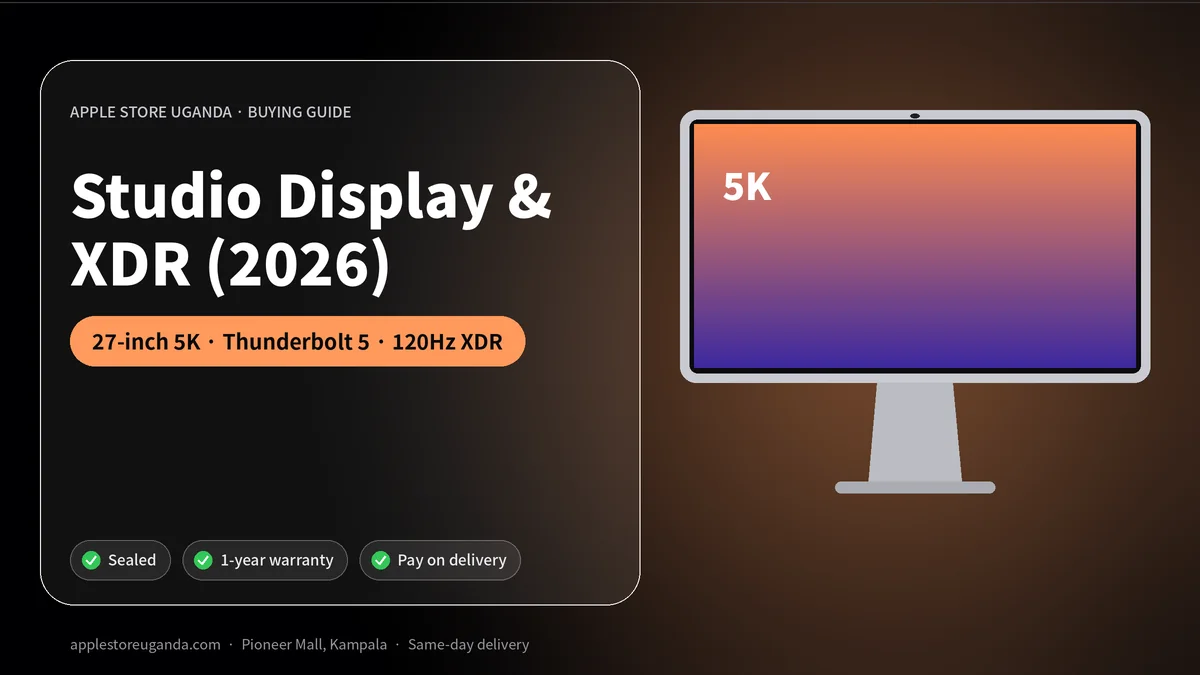
Apple refreshed its Studio Display in March 2026 and launched an all-new Studio Display XDR at the same time. The updated Studio Display adds Thunderbolt 5, improved speakers and Desk View support for its 12MP Center Stage camera, and starts at $1,599 in the US. The Studio Display XDR adds a 120Hz refresh rate, mini-LED backlighting and higher brightness for professional HDR work. This guide explains which Apple monitor suits creators and businesses in Uganda.
A great monitor changes how you work. If you use a Mac mini or Mac Studio, the display is your main window into everything you do. If you use a MacBook, an external display turns your laptop into a full desktop workstation at the office or home.
Want today’s price and stock?
Studio Display 2026 at a glance
| Feature | Studio Display (2026) | Studio Display XDR |
|---|---|---|
| Announced | 3 March 2026 | 3 March 2026 |
| Size and resolution | 27-inch 5K | 5K |
| Refresh rate | Standard | Up to 120Hz |
| Backlight | Standard LED | Mini-LED |
| Brightness | High | Higher, for HDR |
| Camera | 12MP Center Stage with Desk View | 12MP Center Stage with Desk View |
| Connectivity | Thunderbolt 5 | Thunderbolt 5 |
| US starting price | $1,599 | Higher than Studio Display |
8 best Studio Display features
1. 27-inch 5K Retina resolution
The Studio Display shows 5K resolution on a 27-inch screen, so text is razor sharp and photos show fine detail. For designers, writers, programmers and anyone who reads all day, the sharpness reduces eye strain.
2. Thunderbolt 5
The 2026 model adds Thunderbolt 5, giving faster connections for the display and its built-in ports, and allowing one cable to connect and charge a MacBook.
3. 12MP Center Stage camera
The built-in camera keeps you centred during video calls even as you move. It is excellent for Zoom, Teams and Google Meet meetings without buying a separate webcam.
4. Desk View
The camera now supports Desk View, which shows an overhead view of your desk during calls. Teachers can show handwritten notes, designers can show sketches and sellers can show products, all without extra equipment.
5. Improved speakers
Apple upgraded the speakers in the 2026 model. Calls, music and video sound clearer and fuller, which reduces the need for separate desk speakers.
6. Studio-quality microphones
The microphones are designed to pick up your voice clearly in calls and recordings, while reducing background noise from offices and busy streets.
7. Works best with Mac
The Studio Display is designed for Mac, with automatic setup, brightness control and camera integration. It also works with iPad models that support external displays.
8. Premium design
The aluminium design matches Apple’s Macs, and configure-to-order options include different stand heights and mounts.
What the Studio Display XDR adds
The Studio Display XDR is Apple’s new higher-end option. It keeps all the benefits of the standard model and adds:
- 120Hz refresh rate for smoother scrolling, animation and motion.
- Mini-LED backlighting for deeper blacks and stronger contrast.
- Increased brightness, important for HDR photo and video work.
It is designed for colourists, video editors, photographers and designers who need accurate HDR. The new Mac Studio supports up to four Studio Display XDR monitors at full 5K and 120Hz.
Standard or XDR?
Choose the standard model if you are an office professional, writer, programmer, student, designer or content creator. Its sharp 5K screen, camera and speakers make it an excellent all-round monitor.
Choose the XDR if you grade HDR video, edit HDR photos, need 120Hz smoothness or want the best Apple display available. For most people, the standard model is more than enough.
Which Macs work with it?
The display connects to modern Macs with Thunderbolt or USB-C, including the MacBook Air M5, MacBook Neo, MacBook Pro M5, Mac mini and Mac Studio. Check Apple’s compatibility information for the number of external displays each Mac supports.
Who in Uganda should buy one?
- Graphic designers and print shops who need sharp, accurate colour.
- Photographers editing weddings, events and portraits.
- Video editors working on adverts, music videos and YouTube.
- Developers who read code all day and want more screen space.
- Executives and remote workers who spend hours on video calls.
- Architects reviewing detailed drawings and renders.
Price in Uganda
In the US, the standard model starts at $1,599. In Uganda, price and availability depend on import costs and stock. Message us on WhatsApp to check availability. You can reserve with a 30% deposit and pay the balance within 14 days.
Alternatives
If the Studio Display is above your budget, a good third-party 4K monitor can work well for office and school use. You will lose some sharpness, the built-in camera, speakers and Desk View, but save money. For colour-critical professional work, Apple’s displays or professional monitors from specialist brands remain the best choice.
Setting up your display
- Connect it to your Mac with the included Thunderbolt cable.
- The Mac detects it automatically and sets the best resolution.
- Adjust brightness from the keyboard or Control Centre.
- Choose the camera and microphone in your video-call app.
- Use True Tone and Night Shift to make the display comfortable at different times of day.
Caring for your monitor
- Clean the screen with a soft, dry cloth only.
- Avoid placing it in direct sunlight.
- Use a surge protector or UPS.
- Do not press on the screen.
What 5K really means
Resolution describes how many pixels a screen shows. A Full HD monitor has about 2 million pixels. A 4K monitor has about 8 million. A 5K display like this one has about 14.7 million pixels on a 27-inch panel. That density is what Apple calls Retina: at a normal viewing distance, your eyes cannot see individual pixels.
In practice, text looks printed rather than displayed, photos look sharper, and you can fit more windows on screen without everything looking tiny. If you spend eight or more hours a day looking at a screen, the difference is noticeable and comfortable.
Why the camera and speakers matter for professionals in Uganda
Many professionals in Kampala now work with clients and colleagues abroad. A clear camera, good microphones and decent speakers make a better impression on video calls than a cheap webcam and laptop speakers. With this monitor on your desk, you do not need to buy, install and manage separate accessories.
Center Stage keeps you in frame if you lean back or move around. Desk View lets you show documents, sketches or products on your desk during calls. For teachers, consultants, sales teams and designers, these features are genuinely useful every day.
Using it with a MacBook as a docking station
One of the best ways to use the display is with a MacBook. Connect one Thunderbolt cable and your laptop charges, shows its screen on the 27-inch display, and connects to anything plugged into the monitor’s ports. When you leave, unplug one cable and take your MacBook with you. Come back and everything reconnects instantly.
This setup suits remote workers, managers and students who move between home, office and campus but want a comfortable desk setup at one location.
Colour accuracy for creative work
Designers, photographers and printers need colours that match the final product. The display supports wide colour and True Tone, and Apple calibrates its monitors carefully at the factory. For print work, many professionals also use hardware calibration tools to match their screen to their printer. Ask your print shop about their colour profile for the best results.
For HDR video and photography, the XDR model’s mini-LED backlight and higher brightness show highlights and shadows more accurately. Colourists grading HDR content for streaming platforms will appreciate the extra headroom.
Pairing with the new Mac desktops
The new Mac mini and Mac Studio do not include a screen, so a monitor is part of the purchase. Pairing them with Apple’s display gives you a seamless setup with matching design, automatic brightness control and an integrated camera. The Mac Studio can drive up to four XDR displays at full 5K and 120Hz, which suits editing suites, newsrooms and trading desks.
Stand and mounting options
Apple offers different stand options at purchase, including a tilt-adjustable stand, a tilt- and height-adjustable stand and a VESA mount adapter. Choose height adjustment if several people share the desk or if you want a healthier posture. The VESA option lets you mount the display on a wall or monitor arm. Stand options are chosen when ordering and are not easy to change later, so think about your desk setup first.
Ergonomics: healthier working habits
- Position the top of the screen at or slightly below eye level.
- Sit about an arm’s length away from the display.
- Use the 20-20-20 rule: every 20 minutes, look at something 20 feet away for 20 seconds.
- Lower brightness in the evening and turn on Night Shift.
- Take short breaks to stand and stretch.
A good monitor at the right height can reduce neck pain and eye strain over long working days.
Is it worth the price?
It is a premium product. For people who work with text, images and video calls all day, the sharpness, camera, speakers and single-cable MacBook connection add up to a better working experience. For casual users who mainly browse and stream, a cheaper 4K monitor is more sensible. For HDR professionals, the XDR model is the one to consider.
Buying advice
Before ordering, confirm which Mac you will connect, how many displays you need, which stand option suits your desk, and whether you need standard or XDR. Message us on WhatsApp with your setup and we will help you choose.
Studio Display for different jobs
For graphic designers. The Studio Display gives you a sharp, colour-accurate canvas for logos, flyers, packaging and social media designs. Fine details like thin lines and small text look crisp, so you catch mistakes before printing.
For photographers. Edit wedding and portrait shoots on the Studio Display and see skin tones, shadows and highlights clearly. The XDR model is better for HDR photography.
For video editors. The Studio Display gives you room for your timeline, viewer and effects panels. Choose the Studio Display XDR for HDR grading and 120Hz playback.
For programmers. A 27-inch 5K Studio Display fits more lines of code and side-by-side windows, and sharp text reduces eye strain during long sessions.
For managers and remote workers. The Studio Display camera, microphones and speakers make daily video meetings simple and professional.
Studio Display vs third-party 5K and 4K monitors
Other brands sell 5K and 4K monitors, sometimes at lower prices. Many are good, but few combine a 5K panel with a high-quality camera, microphones, speakers, Thunderbolt 5 and seamless macOS integration in one design. If you would otherwise buy a separate webcam, microphone and speakers, the total cost gap narrows. If you only need a screen, a third-party monitor may be enough.
Using the Studio Display with iPad
Some iPad models can connect to external displays. With iPadOS 27, an iPad Pro or iPad Air connected to a Studio Display gives you a bigger canvas for documents and presentations. Check Apple’s compatibility information for your iPad model.
Studio Display in offices and meeting rooms
Companies in Kampala use the Studio Display at reception desks, executive offices and small meeting rooms. The built-in camera and speakers turn any desk into a video-conference station, while the premium design suits client-facing spaces. With one cable to a MacBook, staff can hot-desk easily.
Warranty and support
Every Studio Display we supply is new and sealed with warranty. Keep your receipt and box. Contact us on WhatsApp if you need help with setup, connections or support.
Our verdict
The 2026 Studio Display is the best all-round monitor for Mac users who want sharpness, a great camera and speakers, and a clean single-cable setup. The Studio Display XDR is the professional choice for HDR and 120Hz work. For most Mac owners in Uganda, the standard Studio Display is the smart pick; choose the Studio Display XDR only if your work truly needs it.
Five checks before buying a monitor
- Confirm compatibility with your Mac and how many external displays it supports.
- Choose the stand option carefully, because it is hard to change later.
- Check the box is sealed and includes the Thunderbolt cable.
- Test the camera, speakers and brightness after connecting.
- Keep your receipt for warranty and resale.
Accessories for your desk setup
Complete your workstation with a keyboard and mouse or trackpad, a quality UPS to protect against power cuts, and a USB-C to USB-C cable for charging iPhones and accessories at your desk. For focused work and calls, add AirPods Max 2.
Brightness, glare and Kampala offices
Many offices in Kampala have large windows and bright afternoon light, which causes glare on glossy screens. The Studio Display is bright enough to stay readable in well-lit rooms, and Apple offers a nano-texture glass option on its displays that reduces reflections further. If your desk faces a window, consider moving the monitor so light comes from the side, or choose the nano-texture option when ordering. Combined with True Tone, which adjusts the white balance to the room’s lighting, the display stays comfortable from morning to evening.
Official specifications for the Studio Display and Studio Display XDR are on Apple’s Mac page, and launch details are in the MacRumors March 2026 roundup.
Frequently Asked Questions
What is new in the 2026 Studio Display?
Thunderbolt 5, improved speakers and Desk View support for the 12MP Center Stage camera.
How much is the Studio Display?
It starts at $1,599 in the US. Ask us for the Uganda price.
What is the Studio Display XDR?
A higher-end Apple monitor with a 120Hz refresh rate, mini-LED backlighting and higher brightness.
Does the Studio Display have a camera?
Yes, a 12MP Center Stage camera with Desk View.
Can I use it with a MacBook?
Yes. One Thunderbolt cable connects the display and can charge the MacBook.
Is it good for video calls?
Yes. The camera, microphones and speakers are designed for clear calls.
Should I buy the standard model or the XDR?
The standard model suits most people. The XDR is for HDR professionals.
Can I use the display with a Windows PC?
It is designed for Mac. Some features, like the camera and brightness control, may not work fully with Windows.
Does it have built-in speakers?
Yes, upgraded speakers in the 2026 model.
Does the Studio Display work with the new Mac mini?
Yes. Connect it with the included Thunderbolt cable.
Can I mount the Studio Display on a wall?
Yes, if you order the VESA mount adapter option.
How many Studio Display XDR monitors can a Mac Studio drive?
Up to four at full 5K resolution and 120Hz.
Does the Studio Display need its own power?
Yes. It plugs into a wall socket, and one Thunderbolt cable connects it to your Mac.
Can two Macs share one Studio Display?
You can switch the cable between Macs, but it connects to one computer at a time.
Order with same-day delivery in Kampala & Entebbe, or pay 30% to reserve.