Mac Studio M5 Ultra: 8 Best Features of Apple’s Most Powerful Mac (2026)
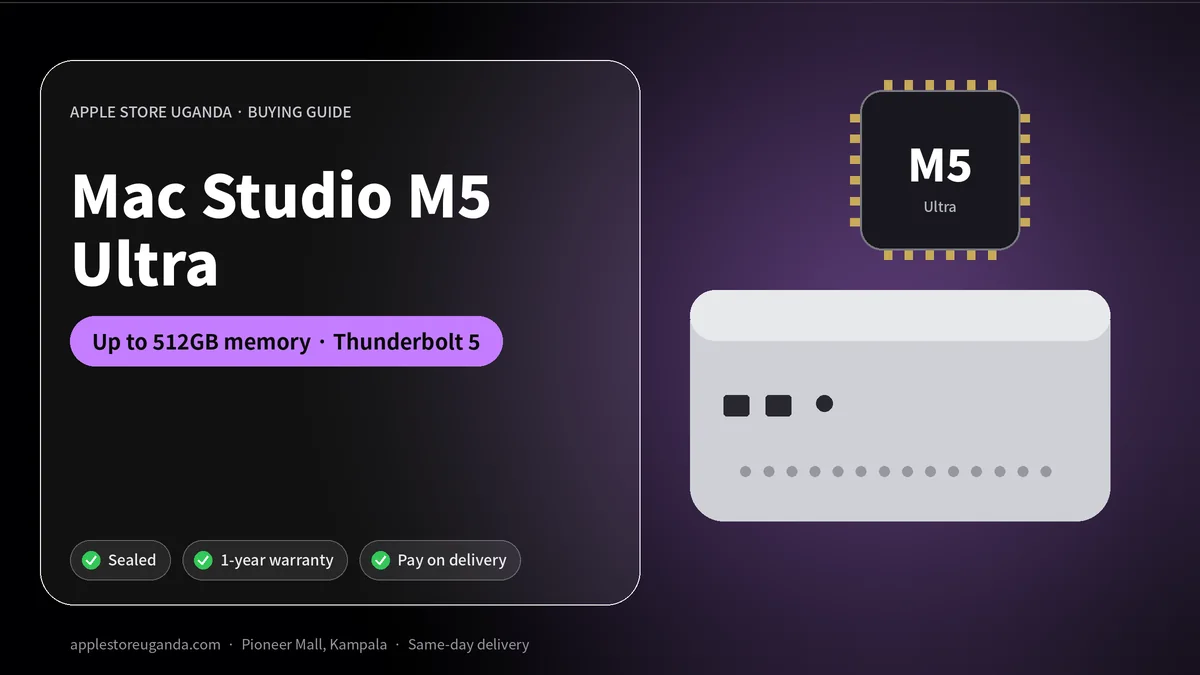
The new Mac Studio is Apple’s most powerful Mac. Announced on 25 August 2026 and on sale from 22 September, it comes with the M5 Max or the all-new M5 Ultra chip, up to 512GB of unified memory and Thunderbolt 5. The Mac Studio with M5 Max starts at $2,499 and the M5 Ultra model at $5,499 in the US. Here is everything professionals in Uganda need to know.
The Mac Studio is a compact desktop designed for people whose work pushes computers to the limit: filmmakers, VFX artists, music producers, architects, scientists and AI researchers. It is not for everyday users, but for these professionals it can save hours every day.
Want today’s price and stock?
Mac Studio 2026 at a glance
| Feature | Mac Studio with M5 Max | Mac Studio with M5 Ultra |
|---|---|---|
| US starting price | $2,499 | $5,499 |
| CPU | 18-core | Up to 36-core |
| GPU | Up to 40-core | Up to 80-core |
| Unified memory | Up to 128GB | Up to 512GB |
| Memory bandwidth | — | 1.2TB/s |
| Thunderbolt | Thunderbolt 5 (up to 120Gb/s) | Thunderbolt 5 (up to 120Gb/s) |
| Displays | Up to 8 displays | Up to 8 displays |
Apple says the new Mac Studio delivers up to 4.3x faster AI performance and up to 1.8x faster graphics than the previous model with M3 Ultra, according to its newsroom announcement. The 512GB memory configuration arrives in late October.
8 best Mac Studio features
1. The M5 Ultra chip
M5 Ultra is Apple’s largest chip to date, with up to a 36-core CPU and up to an 80-core GPU. It is designed for the heaviest workloads, from 8K colour grading to rendering complex 3D scenes.
2. Up to 512GB of unified memory
With up to 512GB of memory and 1.2TB/s of bandwidth, the Mac Studio can load enormous projects and AI models entirely in memory. Apple highlights that AI researchers can run very large language models on the device, without sending data to the cloud.
3. Neural Accelerators in every GPU core
Both M5 Max and M5 Ultra include Neural Accelerators built into each GPU core, which speed up AI tasks such as image generation, transcription, upscaling and model training.
4. Thunderbolt 5
Thunderbolt 5 delivers transfer speeds up to 120Gb/s. Professionals can connect very fast external storage, PCIe expansion chassis and high-performance docks without bottlenecks.
5. Clustering for AI
With Thunderbolt 5 and Remote Direct Memory Access (RDMA), multiple Mac Studio computers can be connected together. Apple says this brings up to 3x faster performance for distributed AI inference compared with a single system.
6. Support for many displays
The Mac Studio supports up to eight displays, or up to four Studio Display XDR monitors at full 5K resolution and 120Hz. Editors, traders and control rooms can build huge multi-screen setups.
7. Quiet, compact design
Despite its power, the Mac Studio sits quietly on a desk. It is far smaller and quieter than a traditional workstation tower with similar performance.
8. macOS 27 and Siri AI
macOS 27 Golden Gate brings Siri AI, Visual Intelligence, Write with Siri and Apple Intelligence features into professional workflows.
M5 Max or M5 Ultra?
Choose M5 Max if you are a photographer, designer, music producer, 4K video editor or developer who needs more than a Mac mini can offer. It offers enormous power at a much lower price than Ultra.
Choose M5 Ultra if you colour-grade 8K footage, render feature-level VFX, run very large AI models or need the absolute maximum performance. For these tasks, the time saved justifies the higher price.
Who needs a Mac Studio in Uganda?
- Film and TV production houses producing adverts, music videos and series.
- Post-production studios doing colour grading, VFX and sound design.
- Music studios running large orchestral and production sessions.
- Architecture and engineering firms rendering large 3D models.
- Universities and research centres working with data science and AI.
- AI start-ups training and running models locally to protect data and reduce cloud costs.
Mac Studio vs Mac mini
| Mac mini (M6 / M5 Pro) | Mac Studio (M5 Max / M5 Ultra) | |
|---|---|---|
| US starting price | $899 | $2,499 |
| Maximum memory | 64GB | 512GB |
| Thunderbolt | Thunderbolt | Thunderbolt 5 |
| Best for | Offices, students, creators | High-end professionals and AI |
The Mac mini is the right desktop for most people. The Mac Studio is only worth it when your work truly needs its power.
Mac Studio vs MacBook Pro M5
A MacBook Pro M5 with M5 Max gives you portable power and a battery for power cuts. The Mac Studio gives more performance and memory for desk-based work, especially with M5 Ultra. Many studios use both: a Mac Studio in the edit suite and a MacBook Pro for shoots and client meetings.
Building a professional workstation
A typical high-end setup in a Kampala studio might include:
- Mac Studio with M5 Max or M5 Ultra.
- One or two Studio Display or Studio Display XDR monitors.
- Fast Thunderbolt 5 external storage for projects.
- A backup drive plus cloud backup.
- A quality UPS and voltage stabiliser.
- Studio headphones such as AirPods Max 2 and monitors.
Power protection is essential
A Mac Studio is a big investment. In Uganda, sudden power cuts and voltage spikes when power returns can damage equipment and corrupt projects. Always connect professional computers to a good UPS and stabiliser, save work often and keep backups.
Return on investment
For a production company, faster exports and renders mean more projects delivered each month. If a Mac Studio saves two hours a day of waiting, that time can be used for more paid work. Many professionals find that a powerful workstation pays for itself within months.
Buying advice
Professional configurations vary widely. Before ordering, list your main software, typical project sizes and future plans. Memory cannot be upgraded later, so choose enough for the next few years. Message us on WhatsApp and we will help you choose the right configuration and confirm availability.
Setting up a Mac Studio
- Connect monitors, keyboard, mouse and power.
- Connect fast storage through Thunderbolt 5.
- Sign in with your Apple Account and install your professional apps.
- Set up Time Machine and an off-site backup.
- Connect to a UPS before starting any big project.
Education pricing
In the US, students can buy the Mac Studio at a lower education price starting at $2,299. In Uganda, universities and colleges can contact us on WhatsApp for multi-unit quotes.
What “unified memory” means for professionals
On traditional computers, the processor and the graphics card each have their own separate memory. Apple silicon uses unified memory that both the CPU and GPU share. This means the GPU can access huge amounts of memory directly, which is a big advantage for 3D scenes with large textures, long video timelines and AI models that need tens or hundreds of gigabytes.
With up to 512GB of unified memory on M5 Ultra, the Mac Studio can work with projects that would not fit on most graphics cards at all. That is why AI researchers and VFX studios are so interested in this machine.
Real-world workloads
Feature film and series post-production. Colourists can grade uncompressed 8K footage in real time, according to Apple, while editors cut multi-camera timelines without creating proxy files.
Visual effects. VFX artists render complex scenes with lighting, particles and simulations faster, which allows more creative iterations before deadlines.
Music and sound. Composers run large orchestral templates with hundreds of tracks and sample libraries loaded in memory, with low latency for recording.
Architecture. Firms render photorealistic walk-throughs of buildings for clients, cutting overnight renders down significantly.
Science and data. Universities and researchers process large datasets, run simulations and analyse results locally.
AI development. Teams fine-tune and run large language models on-premises, keeping sensitive data private and avoiding monthly cloud bills.
Local AI: why it matters in Uganda
Cloud AI services charge per use and require constant fast internet. In Uganda, where bandwidth can be expensive and connections vary, running AI models locally on a powerful desktop has real advantages: predictable costs, faster responses and full control over private data. For banks, hospitals, government agencies and start-ups handling sensitive information, local AI can also help meet data-protection requirements.
Storage strategy
Professionals typically keep the operating system and active projects on the fast internal SSD, use Thunderbolt 5 external arrays for current media, and archive finished projects to large backup drives. A good rule is the 3-2-1 backup method: three copies of your data, on two different types of storage, with one copy stored off-site.
Noise, heat and placement
The Mac Studio is designed to stay quiet even under heavy load, which matters in recording studios and edit suites. Place it on the desk with space around it for airflow. Avoid closed cabinets, direct sunlight and dusty corners. In Uganda’s warm climate, a cool, air-conditioned room helps any professional workstation perform at its best.
Leasing and payment
In the US, Apple offers monthly leasing. In Uganda, businesses usually buy outright, use bank asset financing or spread payments with suppliers. At Apple Store Uganda you can reserve with a 30% deposit and pay the balance within 14 days. Contact us for multi-unit quotes for studios, universities and companies.
Our verdict
This is the most powerful desktop Apple has ever built. M5 Max offers excellent value for demanding professionals, while M5 Ultra with up to 512GB of memory is in a class of its own for 8K video, VFX and AI. It is not for everyday users, but for the right professional it can transform how much work gets done each day.
Comparing with Windows workstations
High-end Windows workstations with powerful graphics cards are common in VFX and engineering. Their strengths include upgradability and specific software that only runs on Windows. Apple’s advantages are unified memory that can reach 512GB for the GPU, very low noise, much lower power use and tight integration with Final Cut Pro, Logic Pro and other macOS apps.
For AI work with very large models, the ability to give the GPU access to hundreds of gigabytes of memory is unusual and valuable. For software that only runs on Windows, a Windows workstation remains the better choice. Check your critical apps before deciding.
Software that benefits most
- Video: Final Cut Pro, DaVinci Resolve, Adobe Premiere Pro and After Effects.
- 3D and VFX: Blender, Cinema 4D, Houdini and Maya.
- Music: Logic Pro, Ableton Live, Pro Tools and FL Studio.
- Photography: Lightroom, Capture One and Photoshop with large files.
- Development and AI: Xcode, Python frameworks and local model tools.
Most of these apps are optimised for Apple silicon and take advantage of the GPU and Neural Engine.
Networking a professional studio
Studios with several editors often connect their computers to shared storage over fast networks. Combined with Thunderbolt 5 docks and high-speed Ethernet, a team can share media without copying files back and forth. Plan your network carefully when setting up a multi-seat studio, and use good-quality cables and switches.
Display setups
Editors and colourists usually pair the desktop with one or two calibrated displays. Apple’s Studio Display XDR offers 120Hz, mini-LED backlighting and high brightness for HDR work. Traders and control rooms can connect up to eight displays for dashboards and monitoring.
Upgrade timing
If you already own a recent M3 Ultra or M4 Max system and it meets your needs, you may not need to upgrade immediately. If your current machine slows down your work every day, the jump to M5 Max or M5 Ultra will feel significant, especially for AI, rendering and high-resolution video. Upgrade when the time you save is worth more than the cost.
Maintenance tips
- Keep the desk area clean to reduce dust entering the vents.
- Install macOS and app updates during quiet periods, after backing up.
- Check your UPS battery regularly, because UPS batteries wear out over time.
- Keep project drives labelled and organised.
- Review backups monthly to make sure they actually restore.
Warranty and support
Professional equipment needs reliable support. Every new computer from Apple Store Uganda is sealed and covered by warranty. Keep your receipt, box and configuration details for warranty and resale.
Five checks before you pay
Before handing over payment for any professional desktop, take ten minutes to verify the machine carefully.
- Confirm the chip, CPU and GPU core counts in About This Mac and System Information.
- Confirm the exact memory and storage you ordered.
- Check the serial number on Apple’s coverage website.
- Inspect the sealed box and all included cables.
- Get a detailed receipt listing the configuration and warranty.
Professional configurations are expensive, so these checks protect your investment.
Why we recommend talking to us first
Professional desktops are not one-size-fits-all. Two editors with the same budget may need very different configurations depending on their cameras, codecs, software and delivery formats. Send us your workflow on WhatsApp, including your main apps, project types and deadlines, and we will recommend a sensible chip, memory and storage combination so your money goes where it makes the biggest difference.
Frequently Asked Questions
When was the new Mac Studio released?
Apple announced it on 25 August 2026, and it went on sale on 22 September 2026.
How much is the Mac Studio?
In the US, the M5 Max model starts at $2,499 and the M5 Ultra model at $5,499. Ask us for the Uganda price.
How much memory can the Mac Studio have?
Up to 128GB with M5 Max and up to 512GB with M5 Ultra.
Does the Mac Studio have Thunderbolt 5?
Yes, with transfer speeds up to 120Gb/s.
How many displays can the Mac Studio support?
Up to eight displays, or four Studio Display XDR monitors at full 5K and 120Hz.
Is the Mac Studio good for AI?
Yes. With up to 512GB of memory, it can run very large AI models on the device.
Mac Studio or Mac mini?
Choose the Mac mini for most work. Choose the Mac Studio only for the most demanding professional workloads.
When is the 512GB memory option available?
Apple said the Mac Studio with 512GB of unified memory would arrive in late October 2026.
Can several units be connected together?
Yes. With Thunderbolt 5 and RDMA, multiple systems can be clustered for distributed AI inference.
Is it suitable for gaming?
It can run games, but it is designed for professional work. A gaming PC or console is better value for gaming alone.
Can I upgrade the memory later?
No. Unified memory is part of the chip package, so choose enough at purchase.
Does it come with a keyboard and mouse?
No. Like other Mac desktops, you add your own monitor, keyboard and mouse.
Can I reserve one with a deposit?
Yes. Message us on WhatsApp to confirm the configuration, then reserve with a 30% deposit.
Who should buy M5 Max instead of M5 Ultra?
Most photographers, designers, music producers and 4K editors. Choose Ultra only for the heaviest 8K, VFX and AI work.
Order with same-day delivery in Kampala & Entebbe, or pay 30% to reserve.