MacBook Pro M5 Pro & M5 Max: 8 Best Upgrades for Creators in Uganda (2026)
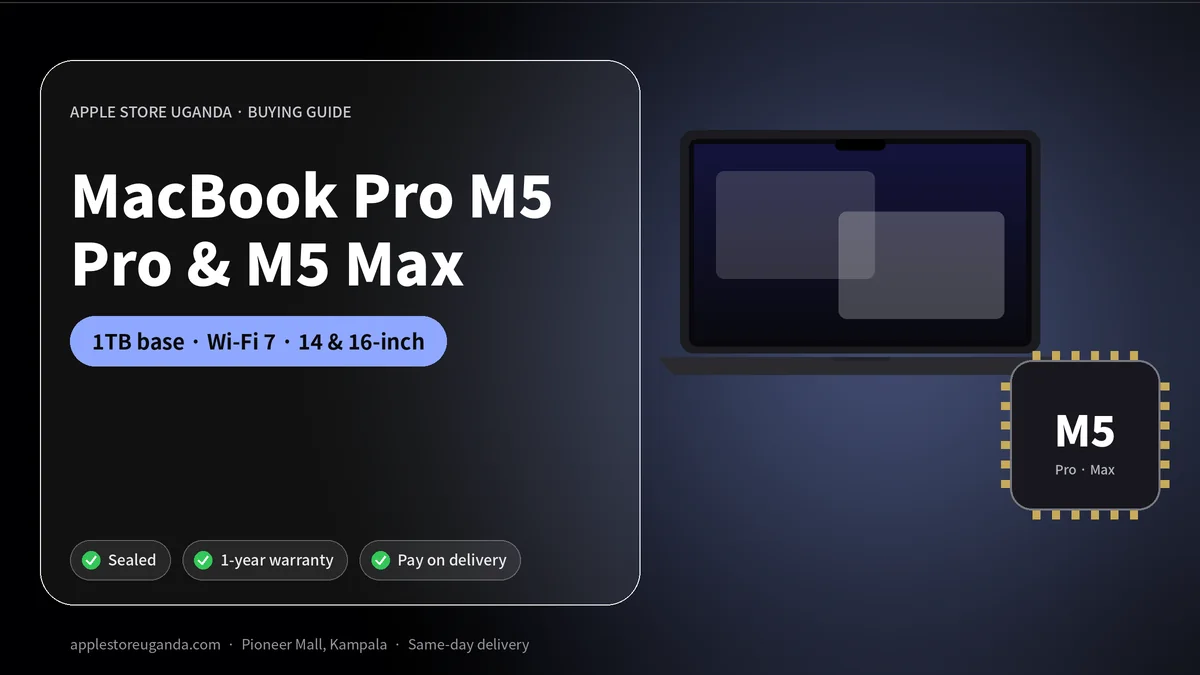
The MacBook Pro M5 Pro and M5 Max models are Apple’s most powerful laptops of 2026. Apple announced them on 3 March 2026 in 14-inch and 16-inch sizes, with up to twice as fast SSD speeds, 1TB of base storage, Wi-Fi 7 and slightly longer battery life. In the US, the 14-inch starts at $2,199. Here is what the MacBook Pro M5 means for professionals and creators in Uganda.
If the MacBook Air is the laptop for most people, the MacBook Pro is the laptop for people whose work depends on raw power: filmmakers, music producers, architects, 3D artists, data scientists and software developers.
Want today’s price and stock?
MacBook Pro M5 Pro and M5 Max at a glance
| Feature | MacBook Pro M5 Pro / M5 Max |
|---|---|
| Announced | 3 March 2026 |
| On sale | 11 March 2026 |
| Sizes | 14-inch and 16-inch |
| Chips | M5 Pro or M5 Max |
| Base storage | 1TB (doubled) |
| SSD speed | Up to twice as fast as before |
| Wireless | Wi-Fi 7 and Bluetooth 6 (N1 chip) |
| US starting price | $2,199 (14-inch) |
8 best MacBook Pro M5 upgrades
1. M5 Pro and M5 Max chips
The new chips include Neural Accelerators in the GPU, built for AI and graphics work. M5 Pro suits most professionals, while M5 Max is for the heaviest video, 3D and AI tasks.
2. 1TB of storage as standard
Base storage doubled to 1TB. Professionals working with large video, audio and design files get much more room from day one.
3. Up to twice as fast SSD
Faster storage means projects open quicker, large files copy faster and video timelines scrub more smoothly.
4. Wi-Fi 7 and Bluetooth 6
The Apple N1 networking chip arrives in the MacBook Pro line, bringing Wi-Fi 7 and Bluetooth 6 for faster file transfers and more reliable wireless accessories.
5. Longer battery life
Battery life increased slightly across the range. MacBook Pro models are already known for lasting a full working day, which helps a lot during power cuts.
6. Two sizes
The 14-inch is more portable for travel and client visits. The 16-inch gives a bigger canvas for editing and a larger battery.
7. macOS 27 with Siri AI
macOS 27 Golden Gate brings Siri AI, Visual Intelligence on the Mac, Write with Siri and smart Safari tools that organise tabs and track price drops.
8. Professional connectivity
MacBook Pro models include multiple Thunderbolt ports, HDMI and an SD card slot, which photographers and videographers use every day.
MacBook Pro M5 vs MacBook Air M5
| MacBook Air M5 | MacBook Pro M5 Pro / Max | |
|---|---|---|
| Best for | Students, office, light creative work | Professional video, 3D, music, AI |
| Fan | No (silent) | Yes (sustains heavy loads) |
| Base storage | 512GB | 1TB |
| Ports | Fewer | More, including HDMI and SD card |
| Our price | From UGX 5,600,000 | Ask on WhatsApp |
If you mostly use Office, browsers, Zoom and light photo editing, the MacBook Air M5 is enough and much cheaper. If you edit 4K or 8K video, render 3D, produce music with many tracks or train AI models, choose the MacBook Pro M5.
M5 Pro or M5 Max?
- M5 Pro is right for most professionals: photographers, YouTubers, developers, designers and music producers.
- M5 Max is for the most demanding users: feature film editing, complex 3D, large AI models and heavy colour grading.
If you are unsure, the M5 Pro offers the best balance of price and performance.
14-inch or 16-inch?
Choose the 14-inch if you travel often, work in cafés and co-working spaces, or carry your laptop every day. Choose the 16-inch if your MacBook stays mostly on a desk and you want the largest screen and battery.
Who in Uganda needs a MacBook Pro?
- Video production companies shooting weddings, adverts and music videos.
- Music producers in Kampala’s growing music industry.
- Architects and engineers working with 3D models.
- Software developers building apps and websites.
- Photographers handling thousands of RAW images.
- Data and AI professionals running local models.
For these users, time saved on rendering and exporting quickly pays back the higher price.
Rumoured OLED MacBook Pro
Reports from Bloomberg say Apple is testing 14-inch and 16-inch MacBook Pro models with touch-enabled OLED displays, possibly launching in late 2026 or early 2027. If you need a laptop now, the current models are excellent. If you can wait and want the newest design, keep an eye on Apple announcements.
Protecting a professional laptop
- Use a padded case when moving between shoots and offices.
- Back up projects to an external drive and the cloud.
- Use a good surge protector for every charge.
- Keep the laptop ventilated during long exports.
- Turn on FileVault and Find My Mac to protect client data.
Accessories for creators
Pair your MacBook Pro with AirPods Max 2 for monitoring and calls, a USB-C to MagSafe 3 Cable 2m for flexible charging, and an iPad Pro M5 as a second screen with Sidecar.
How to order a MacBook Pro M5 in Kampala
MacBook Pro configurations vary widely, so message us on WhatsApp with the size, chip, memory and storage you need. We confirm availability and price, and you can reserve with a 30% deposit. Delivery is same-day in Kampala and Entebbe.
Read Apple’s official Mac information and the MacRumors coverage of the March launches.
Real-world performance for Ugandan creators
Imagine a wedding videographer in Kampala who films six hours of 4K footage on a Saturday. On an older laptop, importing, editing and exporting the final film can take most of the following week. With an M5 Pro or M5 Max chip and a fast SSD, imports finish quicker, timelines play smoothly without proxies, and exports take a fraction of the time. That means delivering to clients faster and taking on more jobs.
The same applies to music producers mixing dozens of tracks with plugins, architects rendering walk-throughs, and developers compiling large projects. For professionals, time saved is money earned.
Memory: how much do you need?
Memory is shared between the CPU and GPU on Apple silicon. More memory lets you work with larger projects:
| Your work | Suggested memory |
|---|---|
| Photography, web design, coding | 24GB to 36GB |
| 4K video editing, music production | 36GB to 48GB |
| 8K video, complex 3D, local AI models | 64GB or more |
Memory cannot be upgraded later, so it is worth buying a little more than you need today.
Storage strategy for professionals
The 1TB base storage is a big improvement, but video professionals still fill drives quickly. A good setup is to keep current projects on the internal SSD and move finished projects to fast external drives. Thunderbolt makes external storage fast enough to edit from directly.
Always keep at least two copies of client work: one on an external drive and one in the cloud or a second drive stored elsewhere.
Display quality
MacBook Pro models use Apple’s Liquid Retina XDR displays with mini-LED backlighting, high brightness and excellent colour accuracy. Photographers and colourists can trust what they see on screen, and HDR video looks stunning. The bright screen also helps when working outdoors or near windows.
Thermal performance in Uganda’s climate
Unlike the fanless MacBook Air, the MacBook Pro has fans that keep the chip running at full speed during long exports. In warm Kampala afternoons, this sustained performance matters. Keep the laptop on a hard surface, not on a bed or sofa, so air can flow freely.
Building a professional desk setup
Connect your MacBook Pro to an external monitor such as Apple’s new Studio Display, add a keyboard and mouse, and use fast external storage. When you leave the office, unplug one cable and take your full workstation with you.
Financing a professional laptop
A MacBook Pro is a big investment. Many of our business customers reserve with our 30% deposit plan and pay the balance within 14 days, or trade in their old laptop to reduce the cost. For companies buying several machines, contact us on WhatsApp for a quote.
Software for professionals
Apple’s Final Cut Pro and Logic Pro are optimised for Apple silicon. Adobe Premiere Pro, After Effects, Photoshop, Lightroom, DaVinci Resolve, Blender, Ableton Live, FL Studio and most developer tools run natively and fast. Check that your specialist software supports macOS before buying.
MacBook Pro M5 for video production in Uganda
Uganda’s video industry is growing fast, from music videos and adverts to weddings, documentaries and YouTube channels. A MacBook Pro M5 with an M5 Pro or M5 Max chip lets a small team edit, colour grade and export 4K projects without waiting hours. Hardware video engines speed up popular formats, and the bright display helps with accurate colour.
For editors working with clients on tight deadlines, the MacBook Pro M5 reduces the time between shooting and delivery, which means happier clients and more repeat business.
MacBook Pro M5 for music producers
Producers in Kampala recording Afrobeats, gospel, dancehall and hip-hop need a laptop that can run many tracks, virtual instruments and effects without crackles or delays. The MacBook Pro M5 handles large Logic Pro, Ableton or FL Studio sessions easily, and its fans stay quiet during recording. Combine it with an audio interface and good headphones such as AirPods Max 2 for reference listening.
MacBook Pro M5 for developers and AI work
Software developers benefit from fast compile times, plenty of memory and the ability to run several tools and virtual environments at once. The Neural Accelerators in the GPU also make the MacBook Pro M5 a capable machine for running local AI models, an area growing quickly among Ugandan tech start-ups.
Comparing the MacBook Pro M5 with a desktop Mac
If you mostly work at one desk, a desktop such as the new Mac Studio or Mac mini can give you more performance for the money. The MacBook Pro M5 is the better choice if you move between home, office, studio and client locations, or need to work during power cuts thanks to its battery.
Resale value
Professional MacBooks keep their value well in Kampala, especially higher configurations. When you upgrade in a few years, a well-maintained MacBook Pro M5 with its box and charger will still be in demand. That helps offset the higher purchase price.
Our verdict
The MacBook Pro M5 Pro and M5 Max models are the best portable workstations Apple has made. They are not for everyone, but for professionals whose income depends on performance, the MacBook Pro M5 pays for itself through saved time. Most people should still choose the MacBook Air M5; creators and engineers should choose the MacBook Pro M5.
Five checks before buying a professional laptop
- Confirm the chip. About This Mac should show M5 Pro or M5 Max as ordered.
- Confirm memory and storage. Professional configurations vary, so check that you received exactly what you paid for.
- Check the serial number on Apple’s coverage site.
- Run a quick test. Open a demanding project or export a sample video to make sure everything runs smoothly.
- Keep the receipt and box for warranty and resale.
Battery, power and charging
The MacBook Pro M5 includes a MagSafe 3 charging port, plus USB-C charging through its Thunderbolt ports. MagSafe detaches safely if someone trips over the cable, which protects your laptop from falls. A longer USB-C to MagSafe 3 Cable 2m is useful in studios and offices where sockets are far from desks.
During power cuts, the MacBook Pro M5 can keep working for hours on battery. Pair it with a UPS or inverter at your desk to protect it from sudden voltage changes when the power returns.
Who should not buy the MacBook Pro M5
If you mainly use email, Office, browsers and video calls, the MacBook Pro M5 is more machine than you need. Its price, weight and fans are designed for professionals. A MacBook Air M5 or MacBook Neo will serve everyday users better and save a large amount of money.
MacBook Pro M5 for photographers
Photographers covering weddings, introductions, graduations and corporate events in Uganda often return with thousands of RAW images. A MacBook Pro M5 imports from the SD card slot quickly, previews files instantly and runs Lightroom culling and AI masking tools smoothly. The accurate Liquid Retina XDR display helps you edit with confidence, so prints and client deliveries match what you saw on screen.
Connecting multiple displays
The M5 Pro and M5 Max chips support multiple external displays, which helps editors, traders and developers who like several screens. Combine a MacBook Pro M5 with one or two external monitors at your desk, then disconnect a single cable and travel with the laptop alone.
Choosing the right configuration with us
Because the MacBook Pro M5 has many configurations, tell us your main software, project sizes and budget on WhatsApp. We will suggest a sensible combination of chip, memory and storage, so you do not overspend on power you will never use or buy too little for your work.
Frequently Asked Questions
When was the MacBook Pro M5 Pro and M5 Max released?
Apple announced them on 3 March 2026, and they went on sale on 11 March 2026.
How much is the MacBook Pro M5 Pro?
In the US, the 14-inch starts at $2,199. Ask us for the Uganda price.
What is the base storage of the new MacBook Pro?
1TB, double the previous base storage.
Does the MacBook Pro M5 have Wi-Fi 7?
Yes, through Apple's N1 chip.
Should I buy M5 Pro or M5 Max?
M5 Pro suits most professionals. Choose M5 Max for the heaviest video, 3D and AI work.
Is the MacBook Pro better than the MacBook Air for students?
Only for heavy creative or technical courses. Most students are better served by the MacBook Air M5.
Is an OLED MacBook Pro coming?
Reports say Apple is testing OLED touch-screen models for late 2026 or early 2027, but Apple has not announced them.
Is the MacBook Pro M5 good for music production?
Yes. It handles large sessions with many tracks and plugins, and it stays quiet during recording.
Does the MacBook Pro M5 have an SD card slot and HDMI?
Yes. MacBook Pro models include HDMI and an SD card slot alongside Thunderbolt ports.
Is the MacBook Pro M5 worth it for YouTubers?
Yes, if you edit long 4K videos regularly. For short social media clips, a MacBook Air M5 is often enough.
Can the MacBook Pro M5 run Windows apps?
Many Windows apps have Mac versions. Others can run through virtualisation software, but check your specific apps first.
Does the MacBook Pro M5 support MagSafe charging?
Yes, it includes a MagSafe 3 port as well as charging through USB-C.
Which is better for travel, 14-inch or 16-inch?
The 14-inch is lighter and easier to carry; the 16-inch has a larger screen and battery.
How much memory should I choose for video editing?
For 4K editing, 36GB to 48GB is a comfortable choice. For 8K and complex effects, choose 64GB or more.
Can I reserve a MacBook Pro M5 with a deposit?
Yes. Reserve with a 30% deposit and pay the balance within 14 days.
Where can I see the MacBook Pro M5 in Kampala?
Message us on WhatsApp to check stock, or visit Apple Store Uganda at Pioneer Mall, Shop PB92.
Order with same-day delivery in Kampala & Entebbe, or pay 30% to reserve.